Design. Simulate. Build.
From idea to reality. Draw a circuit, watch it run, then lay it out on a breadboard or stripboard and program the board, all in one place.
A bedside clock radio on a Guition 7" ESP32-P4 board, running on two 18650 cells through a charge protection board, with its speaker. Drawn, simulated, then built.
One tool, from first sketch to finished board
Draw the schematic
Pick from hundreds of real parts with real part numbers, drop them on the sheet and wire them up.
Watch it run
See voltages and current flow live, probe with a scope and meter, and catch the part that would blow before it does.
Lay it out and make it
Switch to the breadboard or stripboard view of the same circuit, then print it or export it to KiCad.
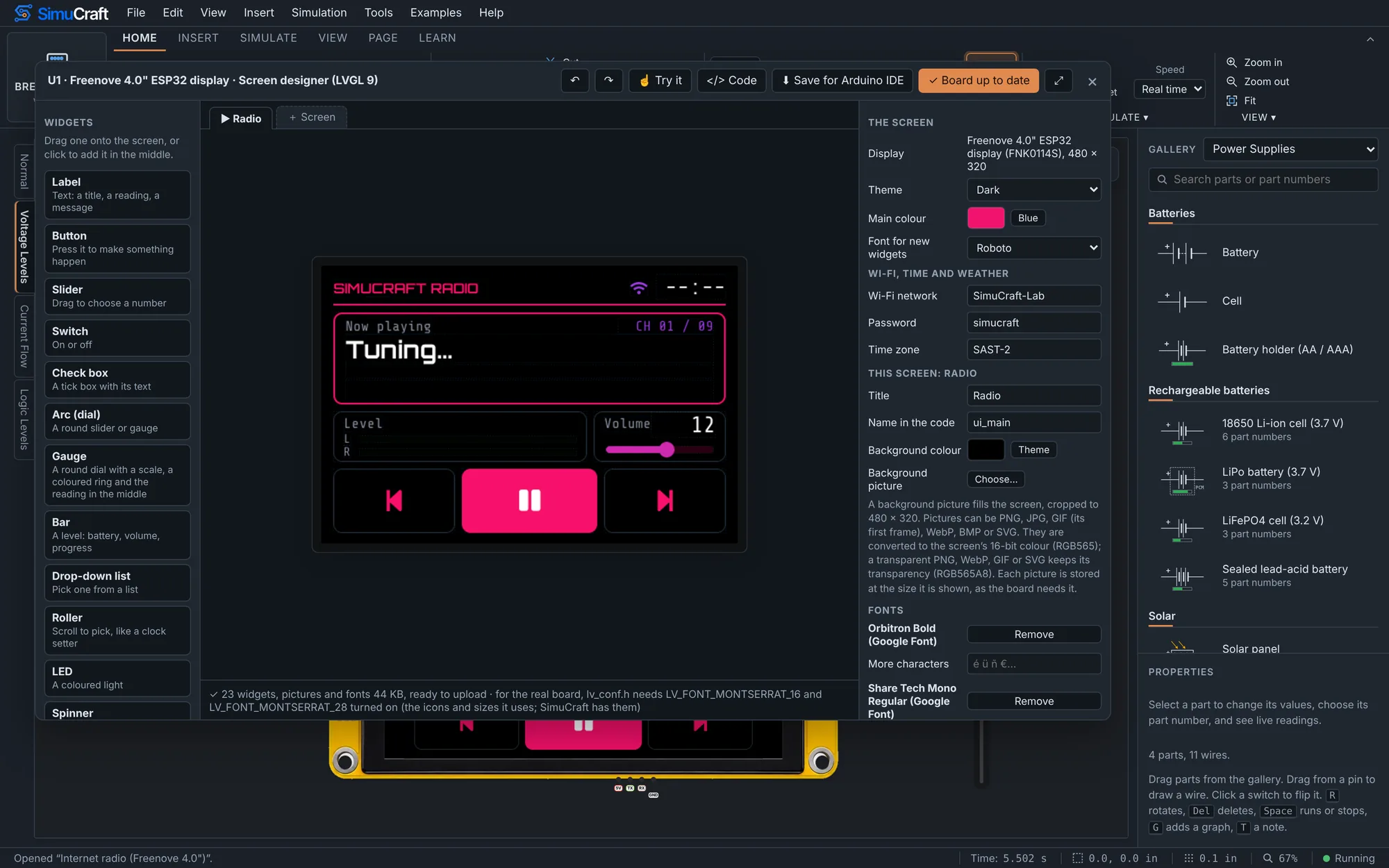
Design the screen, not the code
Lay out labels, buttons, sliders and gauges on the display, choose fonts and colours, and SimuCraft writes the LVGL code.
- Drag widgets onto the real screen size of the board
- Google Fonts and pictures converted for the board
- Several screens, one tab each, with buttons that slide to the next
- Send to the board and see it running at once
A smart-home wall panel you design yourself
Lights, the thermostat, the blinds, the garage door, solar and battery at a glance, and scenes in one tap. Lay it out in the screen designer, try every control in the simulator against SimuCraft's own lab house, then upload it to the real board and point it at your Home Assistant.
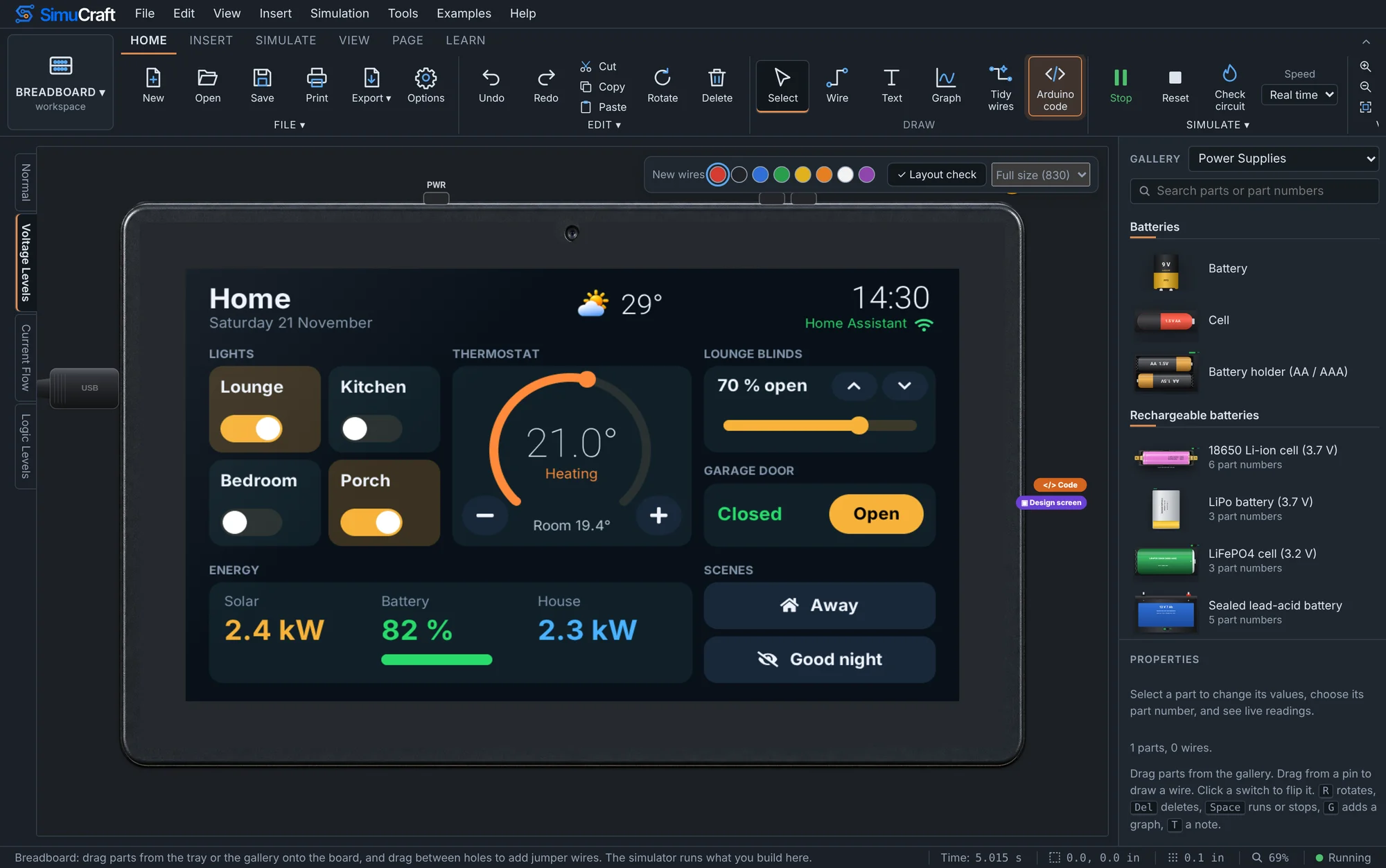
Every screen laid out by hand
Drag on switches, dials, sliders and buttons, choose Google Fonts and colours, and set a button to go to another screen. The designer writes the LVGL code.
Use it as you would on the wall
Every switch, the dial and the blinds work in the simulator, talking to a house that answers like Home Assistant does, with the time and the weather from the internet.
On the real board in minutes
Paste in your Home Assistant token, pick the port and press Upload. SimuCraft compiles with Arduino's own tools and installs the libraries the sketch needs. The lesson takes it apart.
Real circuits, simulated as they are
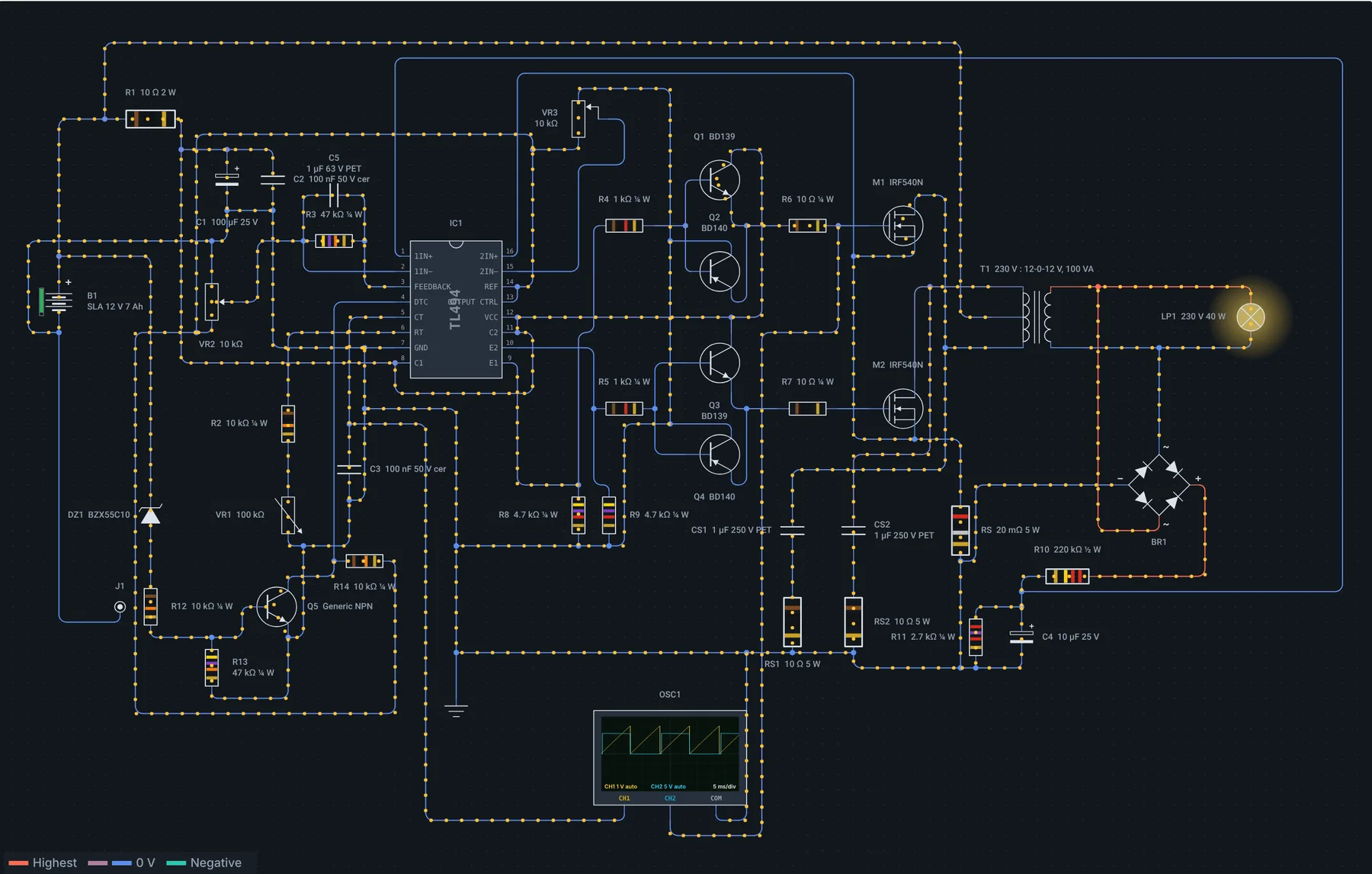
A 12 V to 230 V inverter: a TL494 drives push-pull MOSFETs into a transformer, and the lamp lights. Every transistor, diode, winding and capacitor is simulated as the real part behaves, live, with voltage levels and current flow on every wire, the scope on the oscillator, and parts that fail like real ones: a resistor past its rating burns out, a MOSFET without its heatsink overheats, and each says so.
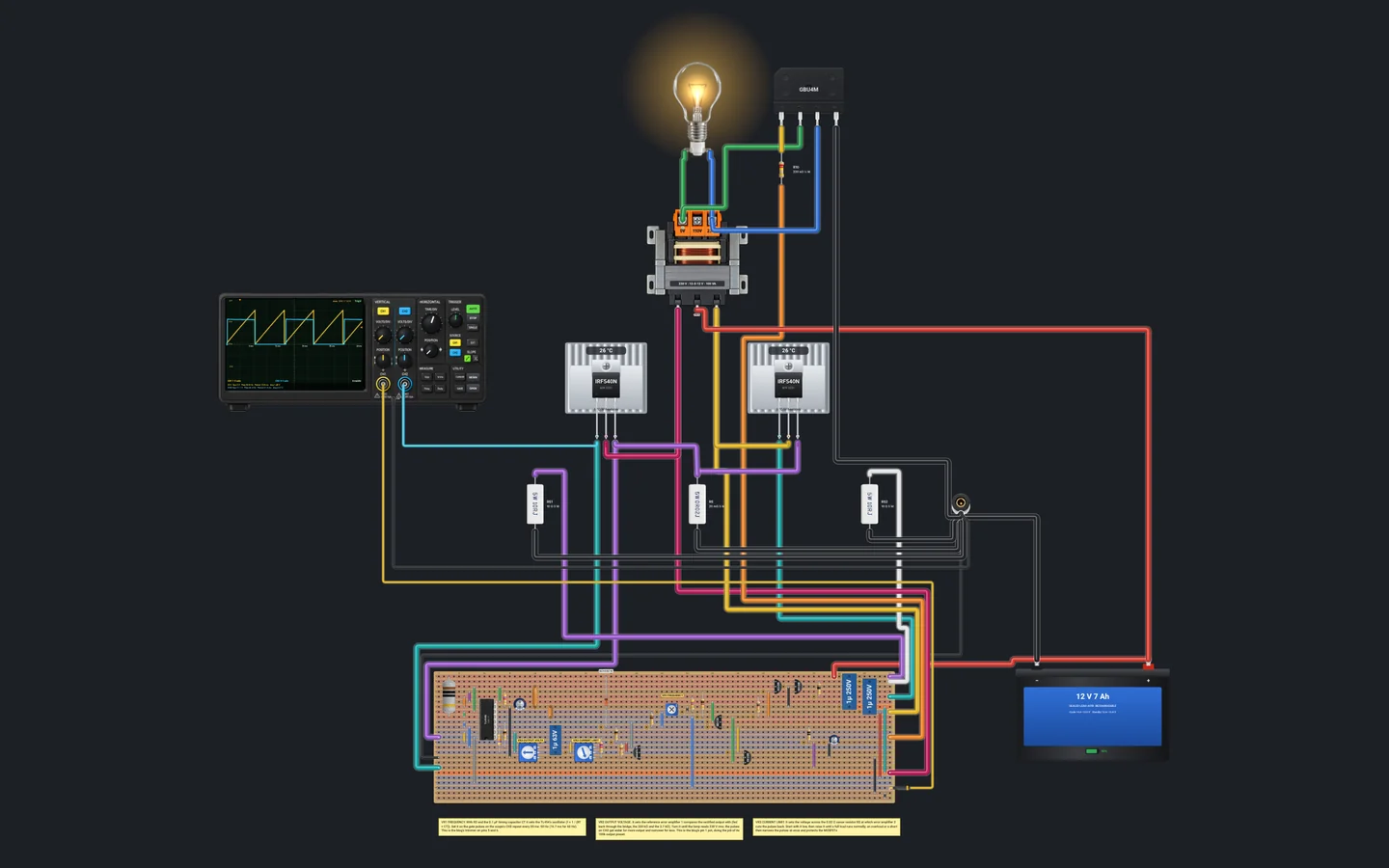
The inverter on stripboard
Control on the board, power parts beside it on heavy wire. Mains voltages: a project for experienced builders.
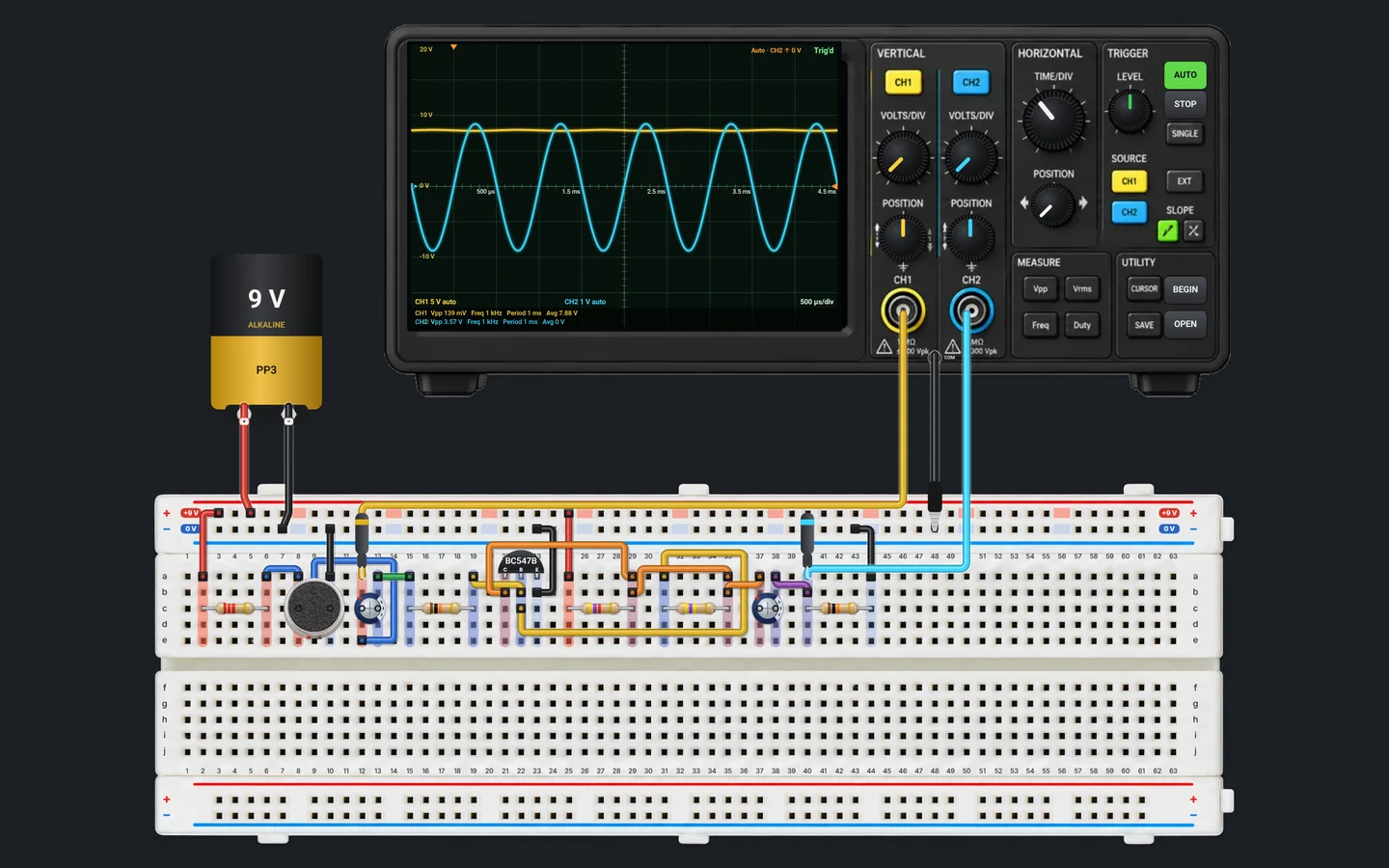
Transistor amplifier
One transistor, its bias and its gain, with the input and the bigger output side by side on the scope.
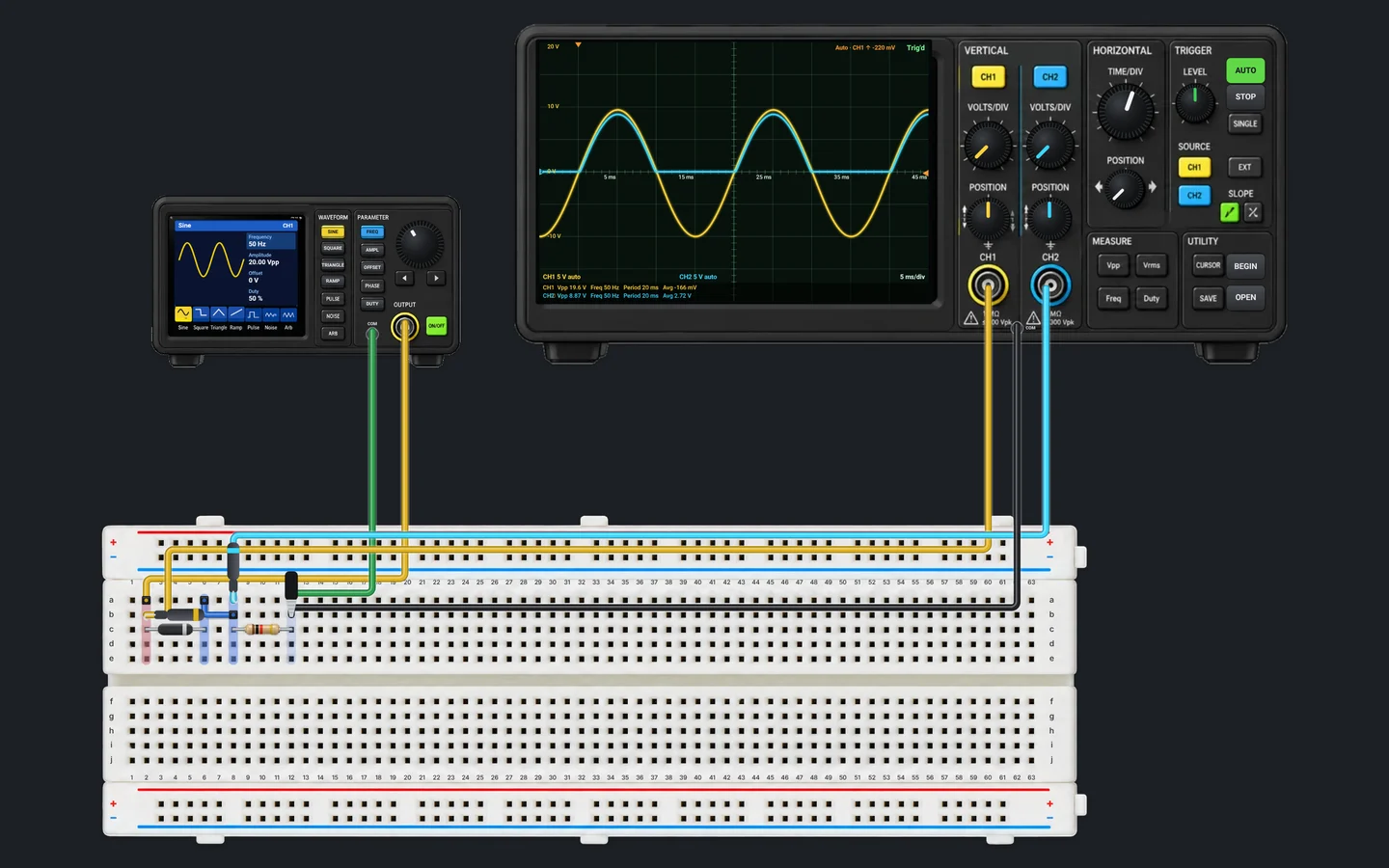
Rectifiers on the scope
Half-wave, full-wave and centre-tap: see what each diode lets through, then add the smoothing capacitor.
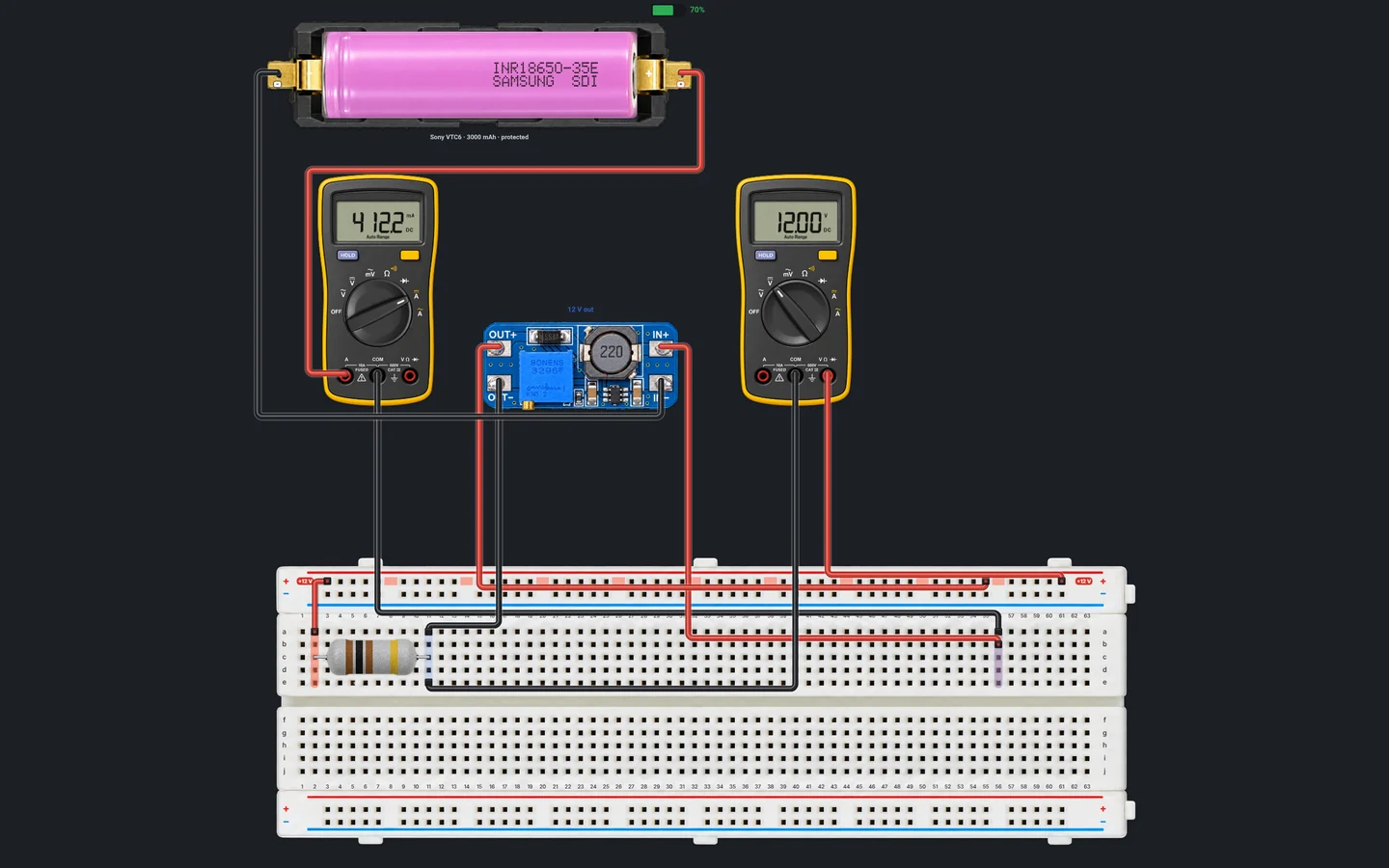
Switch-mode power supplies
Buck, boost and buck-boost converters, LM317 and LM338 supplies, chargers for Li-ion, LiFePO4 and lead-acid.
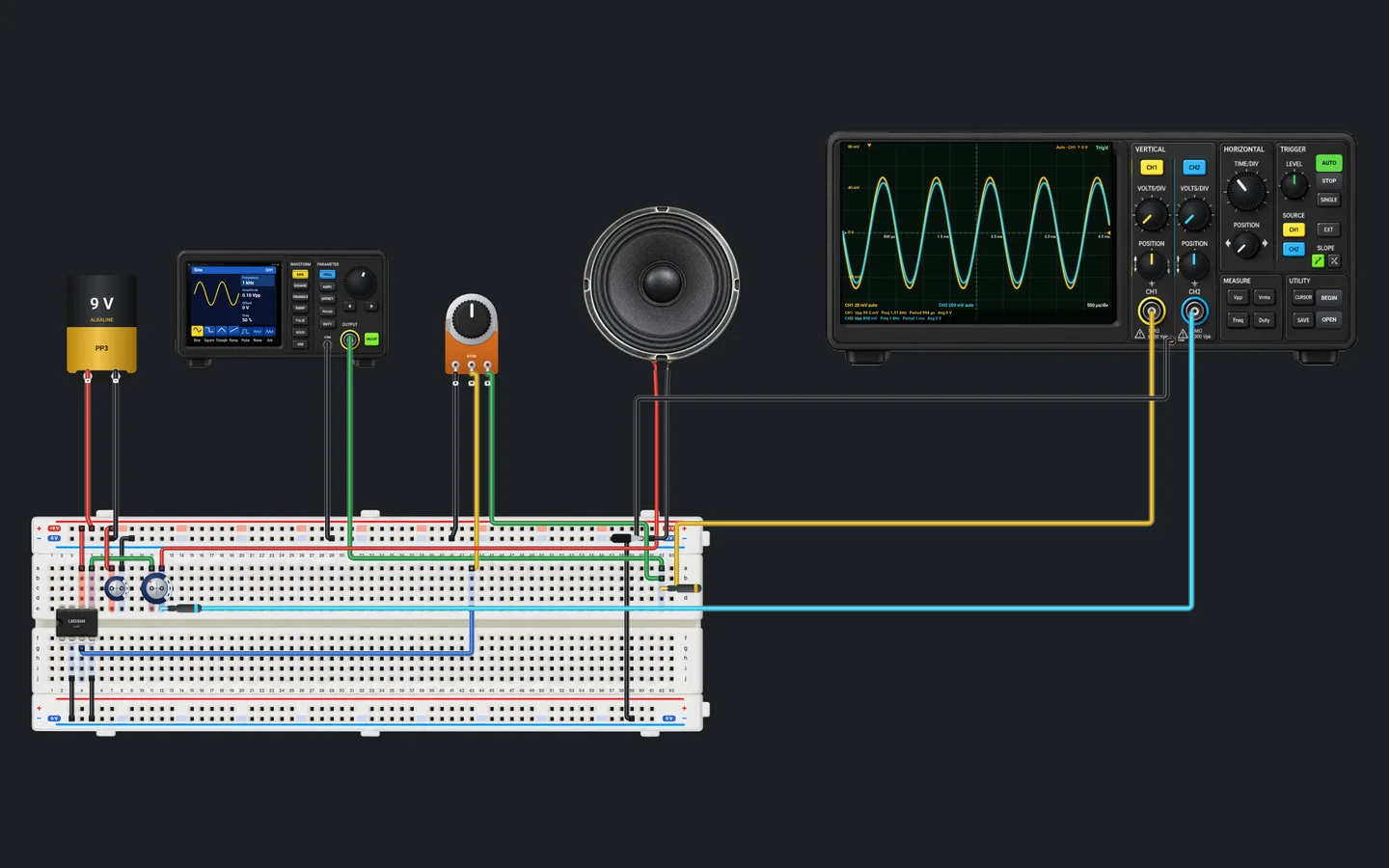
Op amps and audio
Filters, comparators, summing amplifiers and the LM386: feed them from the function generator and hear the speaker.
Timers and logic
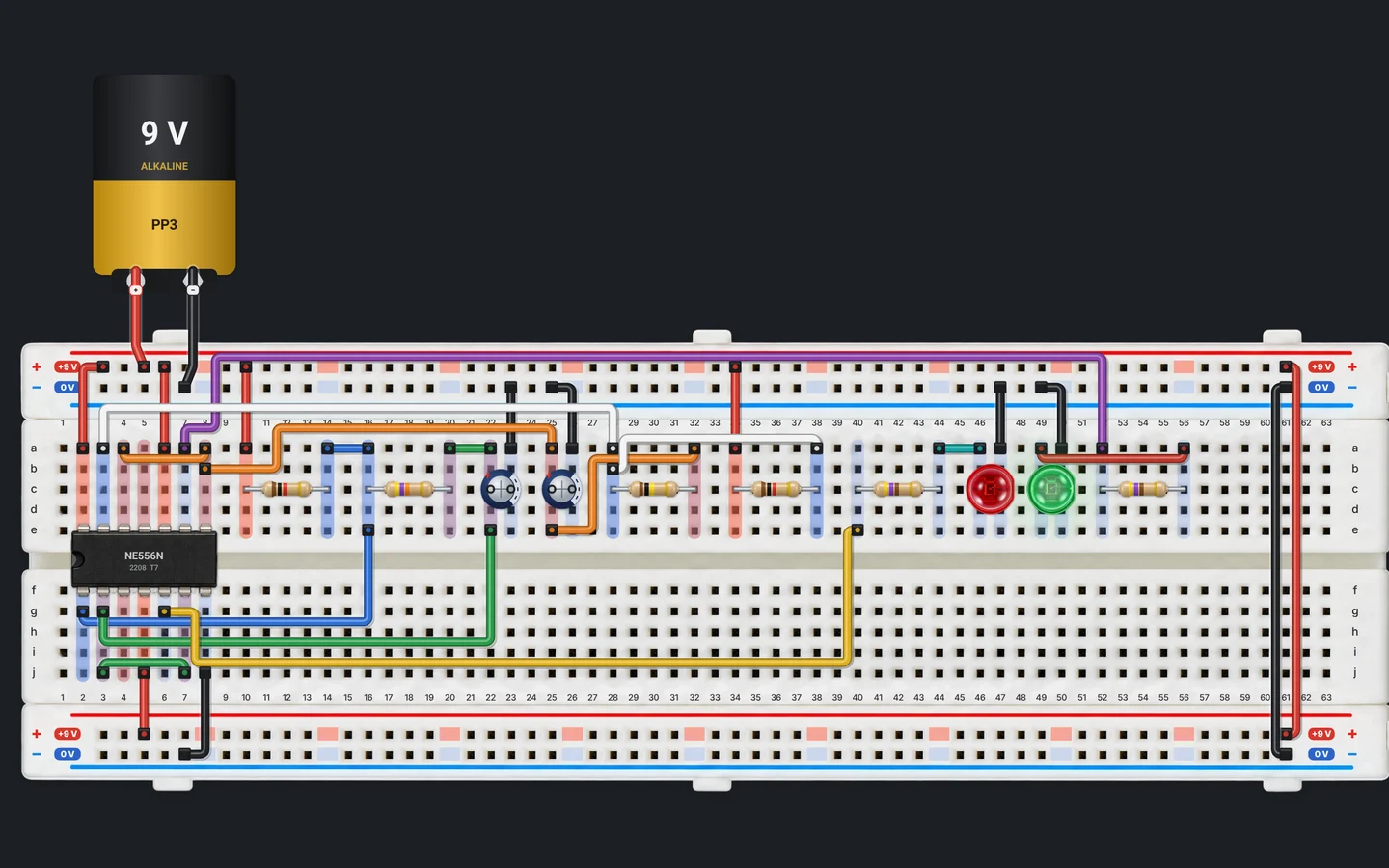
The 555 and 556, CMOS gates, latches and counters, all running at their real speed.
Build it hole for hole
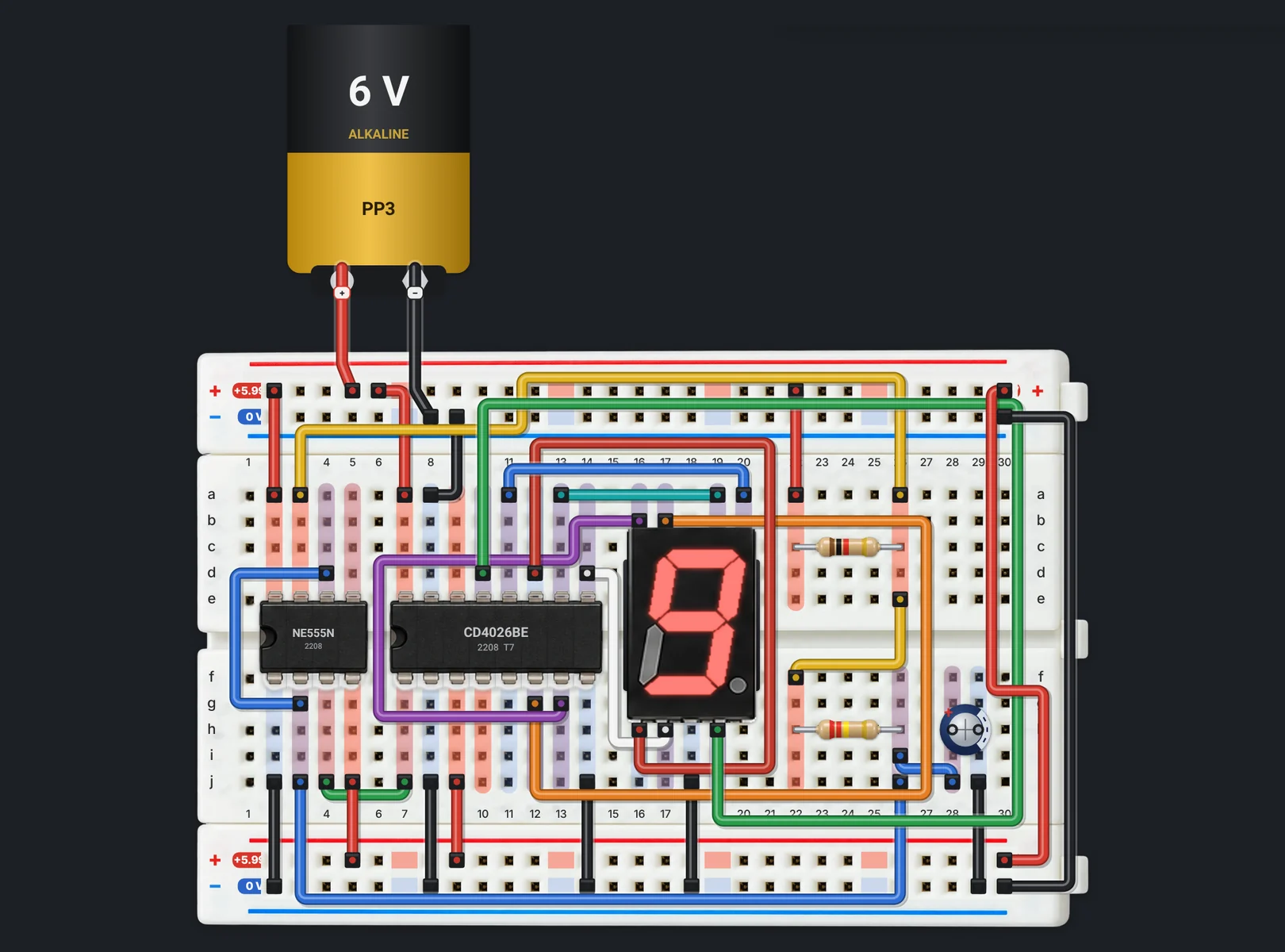
A 555 timer clocks a 4026B counter and the 7-segment display counts up, live on the breadboard.
- The breadboard runs: what you wire is what gets simulated
- Squared-off jumpers in real wire colours, every lead on the right hole
- Layout check spots a wire across a part or a lead in the wrong row
- Parts drawn from photos of the real thing
Real instruments you learn on
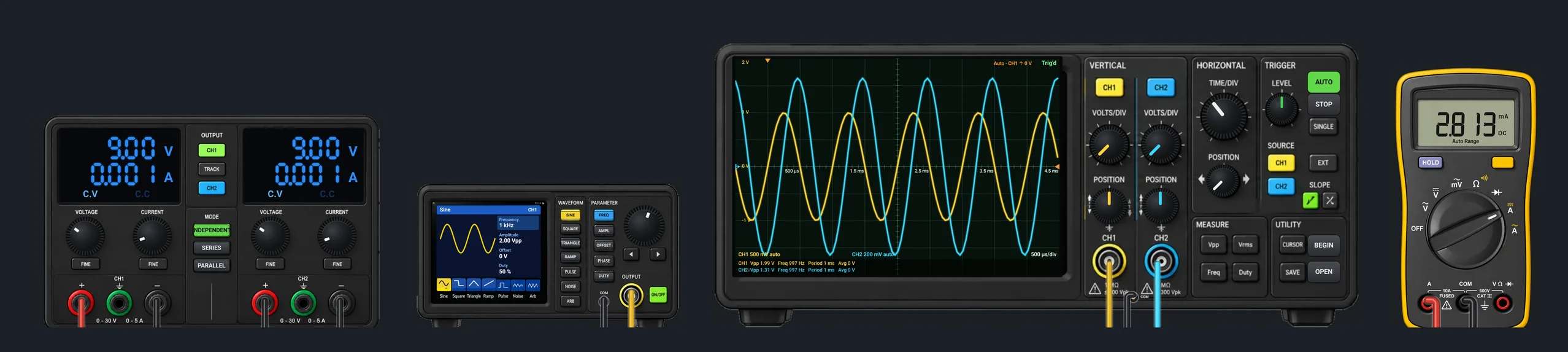
Power supplies, signal sources, an oscilloscope and a multimeter that work like the ones on a real bench. Turn the knobs, press the buttons and see what each one does: learn them here before you touch the real thing.
Two-channel oscilloscope
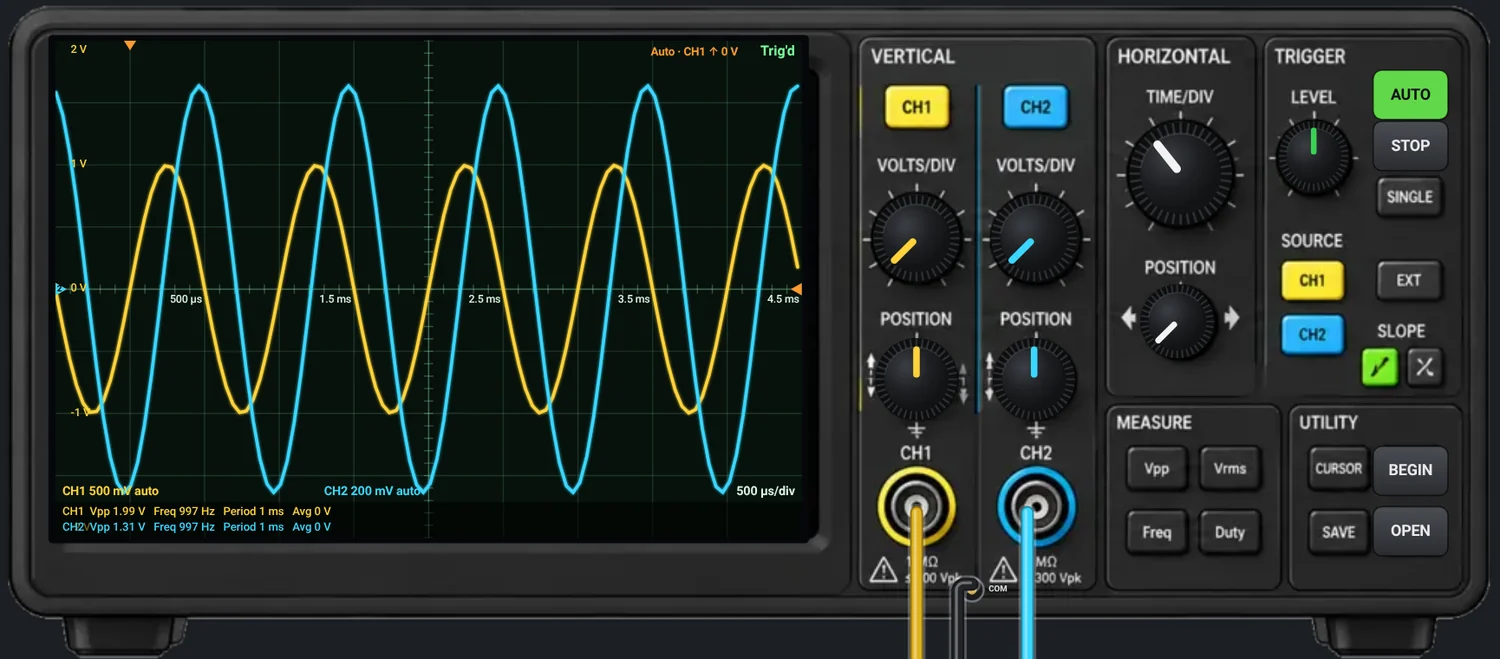
See what a signal does over time. Every example opens with settings that show its signal clearly; then turn the knobs and watch what changes.
- VOLTS/DIV and POSITION for each channel
- TIME/DIV to stretch or squeeze time
- Trigger LEVEL, with AUTO, STOP and SINGLE to freeze a moment
- MEASURE shows Vpp, Vrms, frequency and duty; CURSOR puts markers on the trace
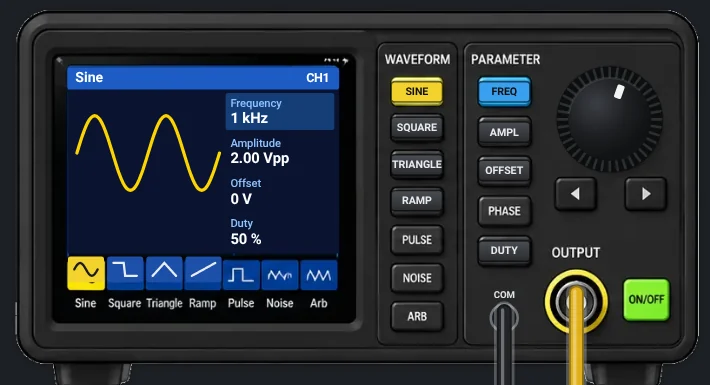
Function generator
Feed your circuit a signal and see how it responds: an amplifier's gain, a filter's cut-off, a rectifier's output.
- Sine, square, triangle, ramp, pulse and noise
- Frequency, amplitude, offset and duty, set with the knob and arrows
- OUTPUT ON/OFF connects it to the circuit
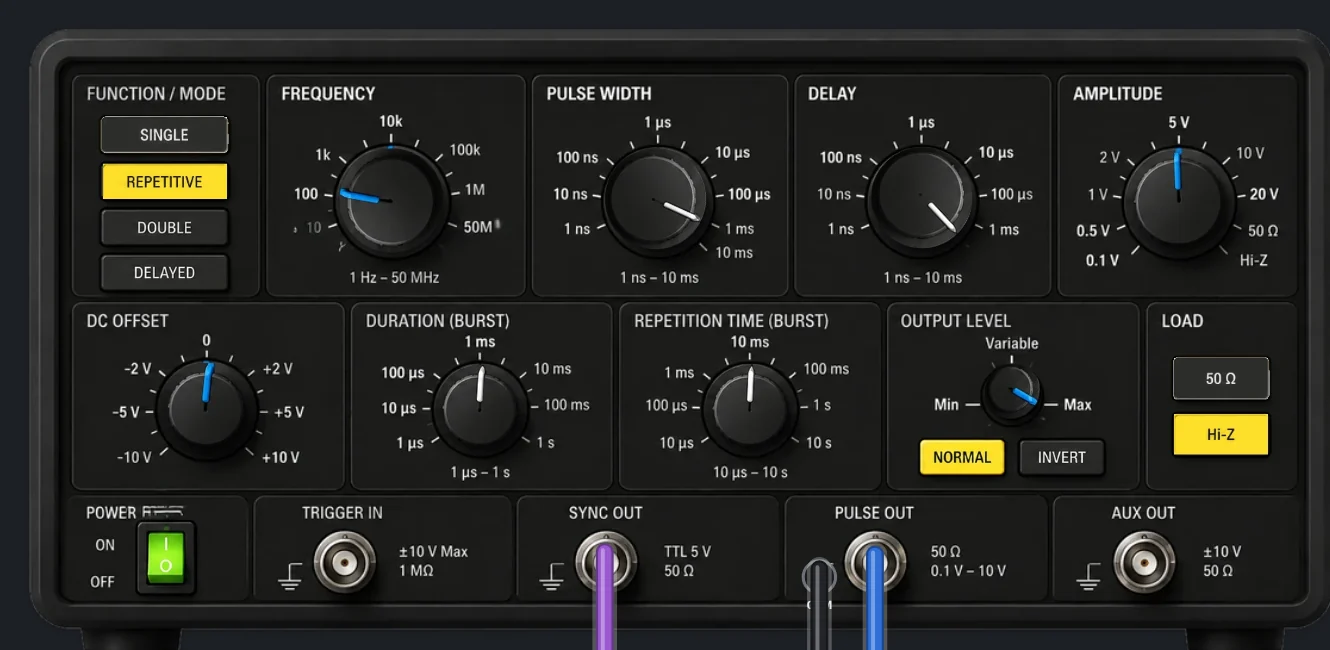
Pulse generator
Clean pulses with every timing set by its own dial, for clocking logic, triggering a 555 or testing how fast a circuit responds.
- Frequency, pulse width, delay and amplitude, each on its own dial
- Single, repetitive, double or delayed pulses, and bursts
- DC offset, normal or inverted output, and a 50 Ω or Hi-Z load
- Trigger in and sync out, to line it up with the scope
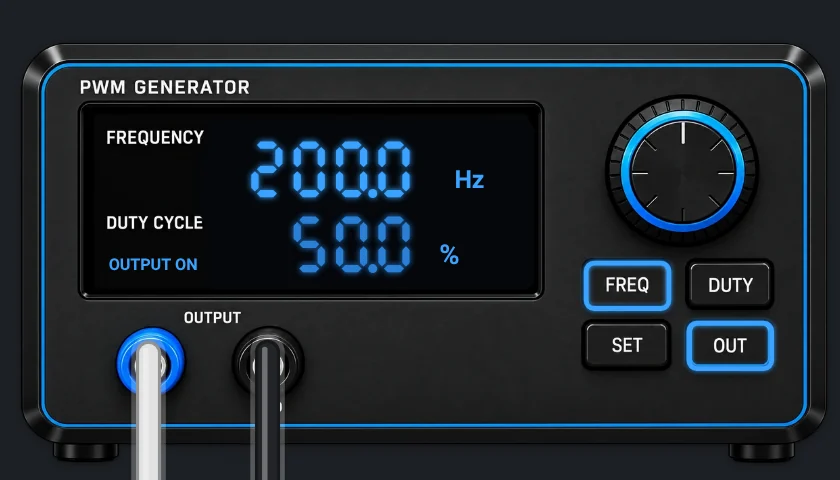
PWM generator
A square wave whose on-time you set: the signal that dims LEDs and sets motor speeds. Drive a MOSFET with it and watch the brightness follow the duty cycle.
- FREQ and DUTY, set with the knob
- OUT turns the output on and off
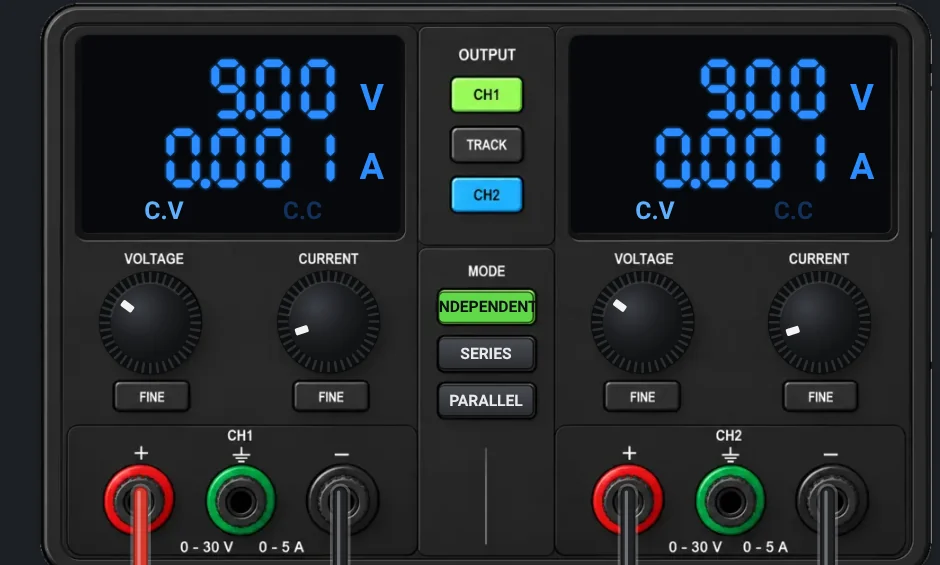
Bench power supplies
A single bench supply and a dual one, 0 to 30 V and up to 5 A an output. Set the voltage, then a current limit: if the circuit asks for more, the supply holds the current and its display switches from C.V to C.C, just as a real one protects your parts.
- VOLTAGE and CURRENT knobs, with FINE for small steps
- C.V and C.C show whether it's holding the voltage or the current
- SERIES joins the dual supply's outputs, for a ±9 V op-amp supply
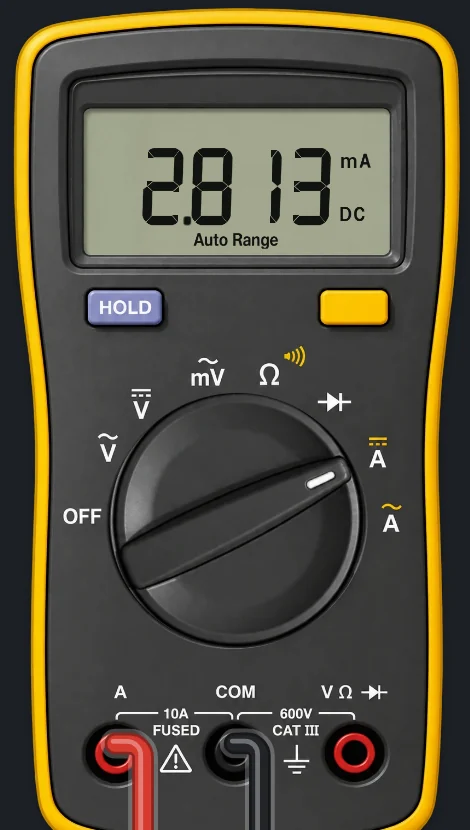
Multimeter
Turn the dial, put the leads where you would on the bench, and read it. It ranges itself, like the real one.
- Volts DC and AC, and millivolts
- Ohms, continuity and the diode test
- Amps DC and AC, through the A socket
- HOLD keeps the reading
There are simple meters too, for quick checks: a voltmeter, an ammeter, an ohmmeter, a continuity tester and test points.
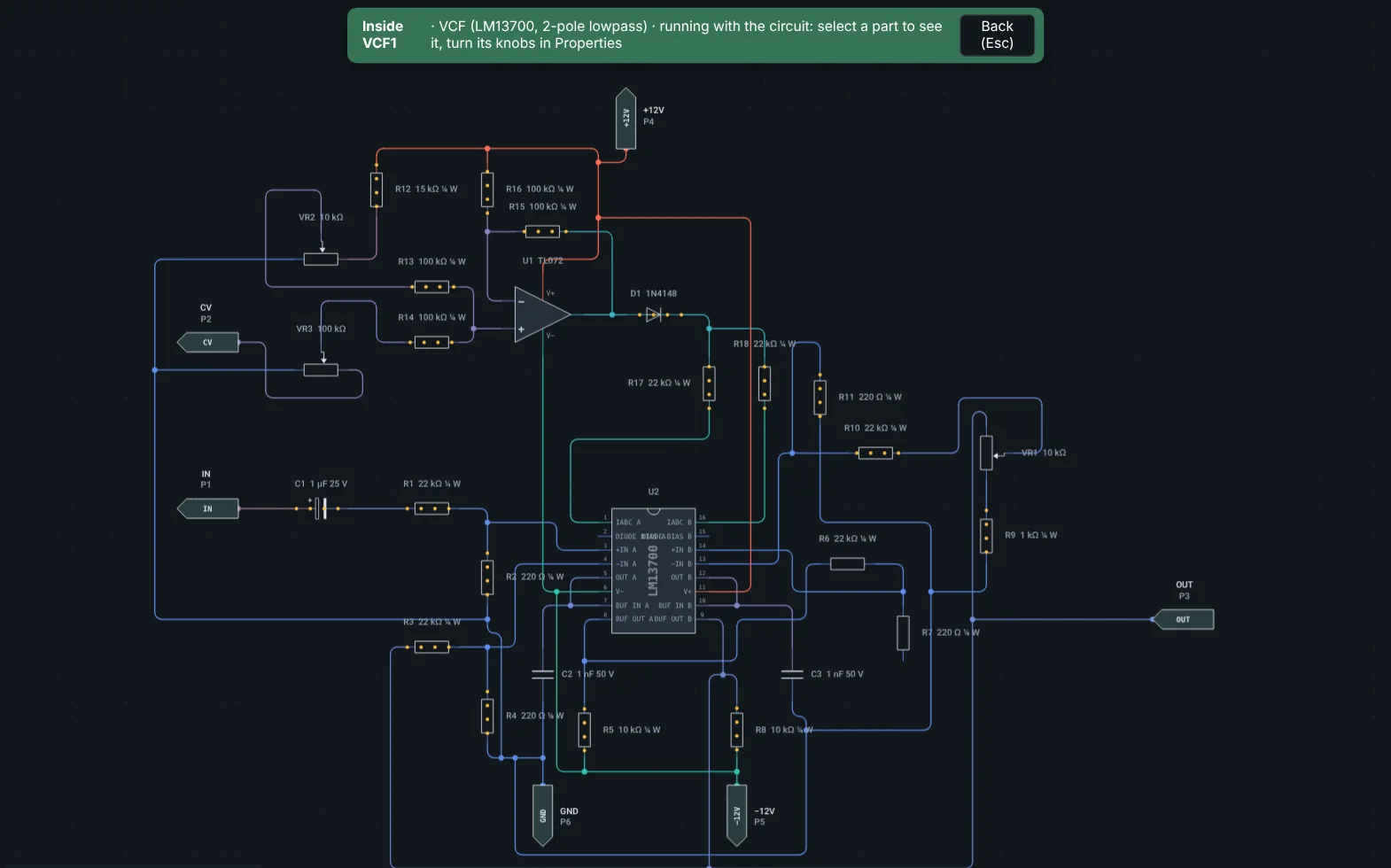
Your designs become parts
Mark a design's inputs, outputs and supplies with ports, and it becomes a module: one part you can drop into any circuit. Double-click it to see inside, running, with live voltages.
- An analog synthesiser built from four modules: an AS3340 VCO, an LM13700 filter and VCA, and an envelope
- An 8-step sequencer on an Arduino Nano, in tune at 1 V per octave from an MCP4725 DAC
- MIDI in and out: play it from your own USB MIDI keyboard or the one on screen, play a MIDI file through it, follow MIDI clock, watch the notes on the MIDI monitor
- Each module's knobs in Properties, saved with your circuit
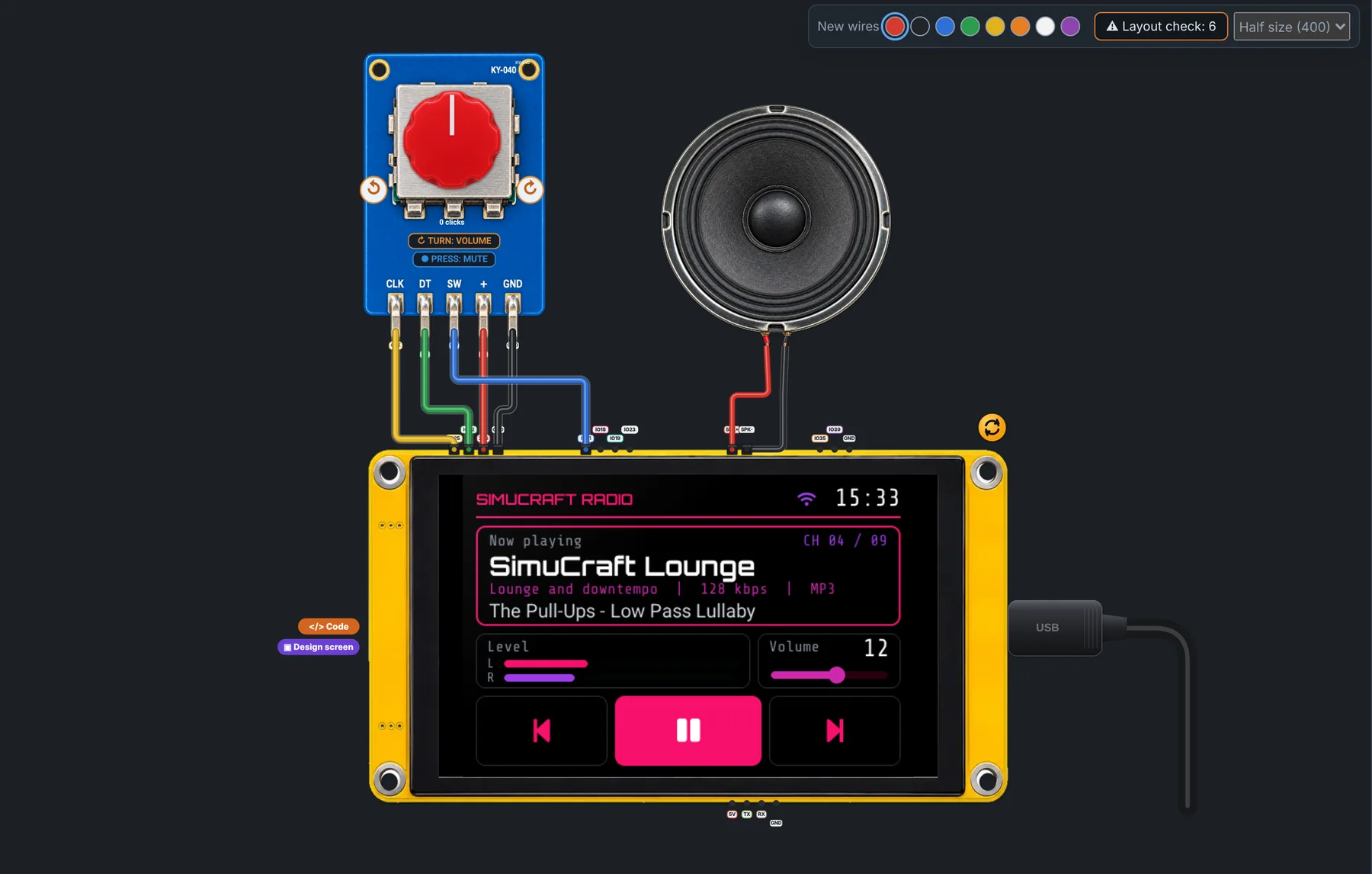
Program the board and hear it play
An internet radio on a Freenove 4" ESP32 display: turn the knob for volume, tap to change station, and it streams real stations.
- Arduino sketches run in the simulator, on Uno, Giga, ESP32 and more
- Touch screens with LVGL 9: the GIGA Display, the Cheap Yellow Display, the Freenove 4" and the MaTouch round display
- Real radio stations, found by name and added in a click
- Upload to the real board straight from SimuCraft, or save the sketch for the Arduino IDE
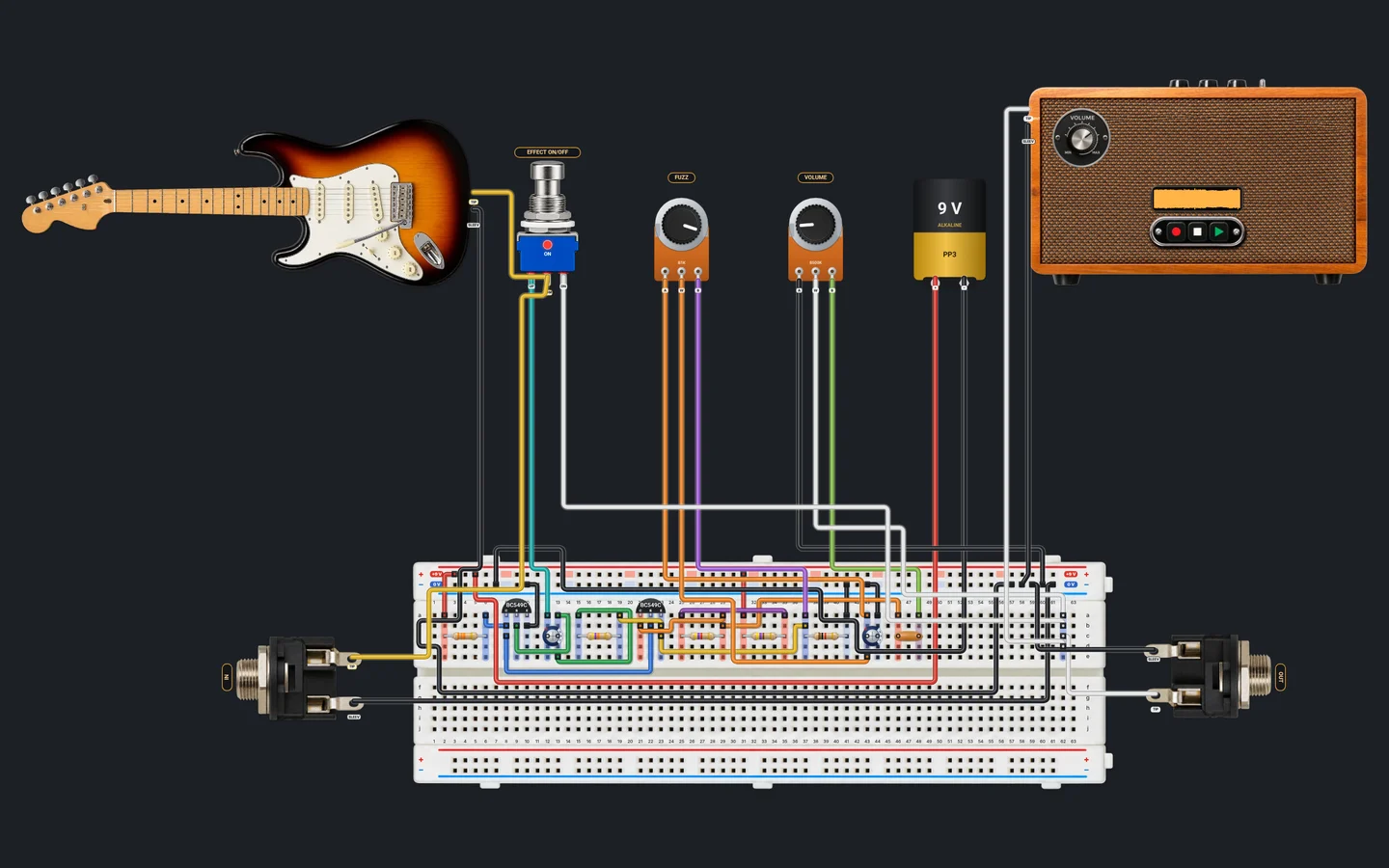
Design guitar pedals and synthesizers
Build a fuzz, distortion, overdrive or echo pedal, or an analog synthesizer, and hear what your circuit really does: the guitar plays into it and the amp plays what comes out.
- Guitar riffs and scales to play through the pedal, or a signal generator and scope to measure it
- A true-bypass footswitch: hear the dry guitar against the effect
- Laid out as a real pedal: the guitar and In jack on the left, the Out jack and amp on the right, every knob named, clockwise for more
- Synthesizers from VCO, filter, envelope and VCA modules, or a Mozzi drone on one Arduino
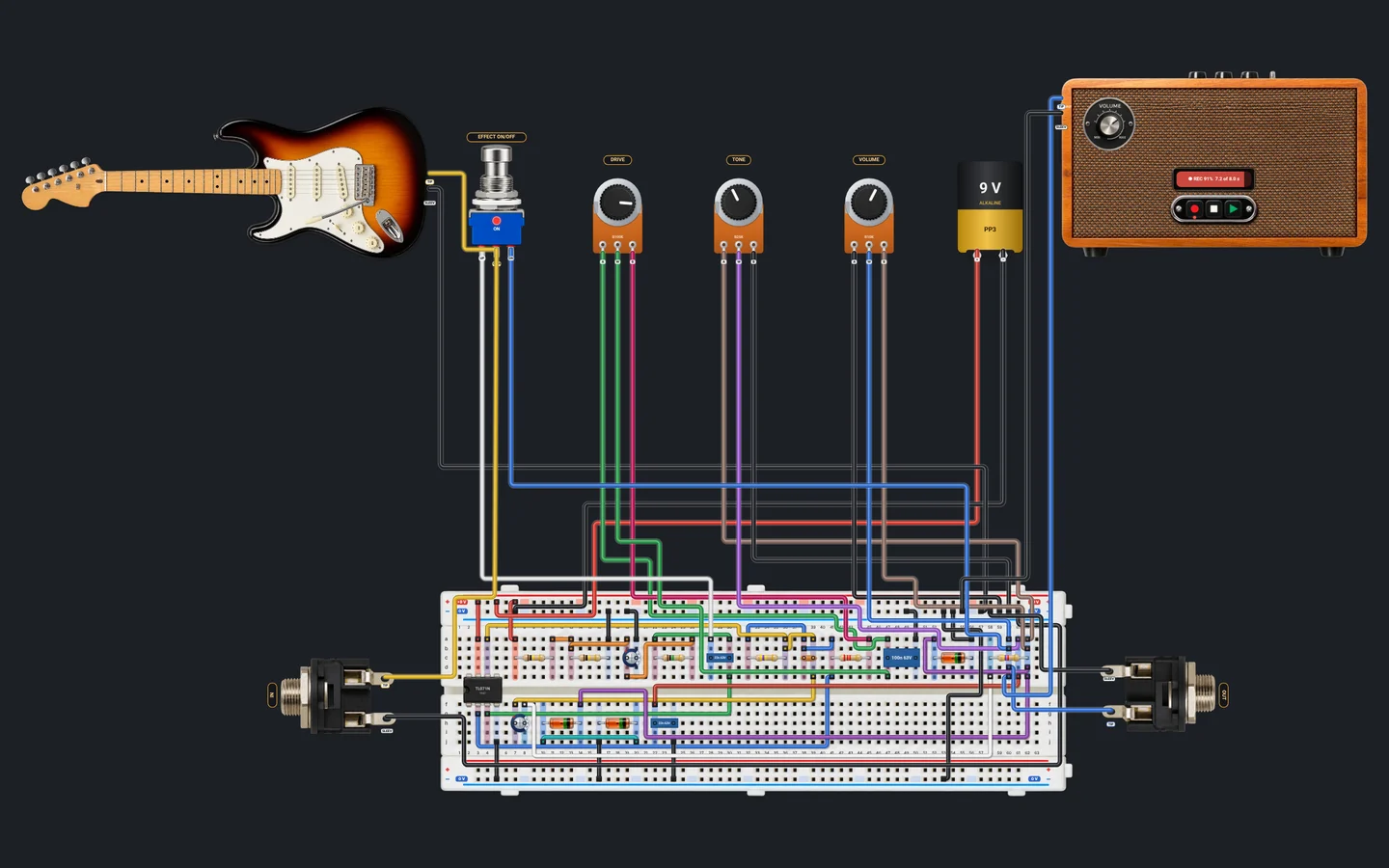
Overdrive pedal
Asymmetric diode clipping in the feedback loop: turn Drive up and hear it break up like a valve amp.
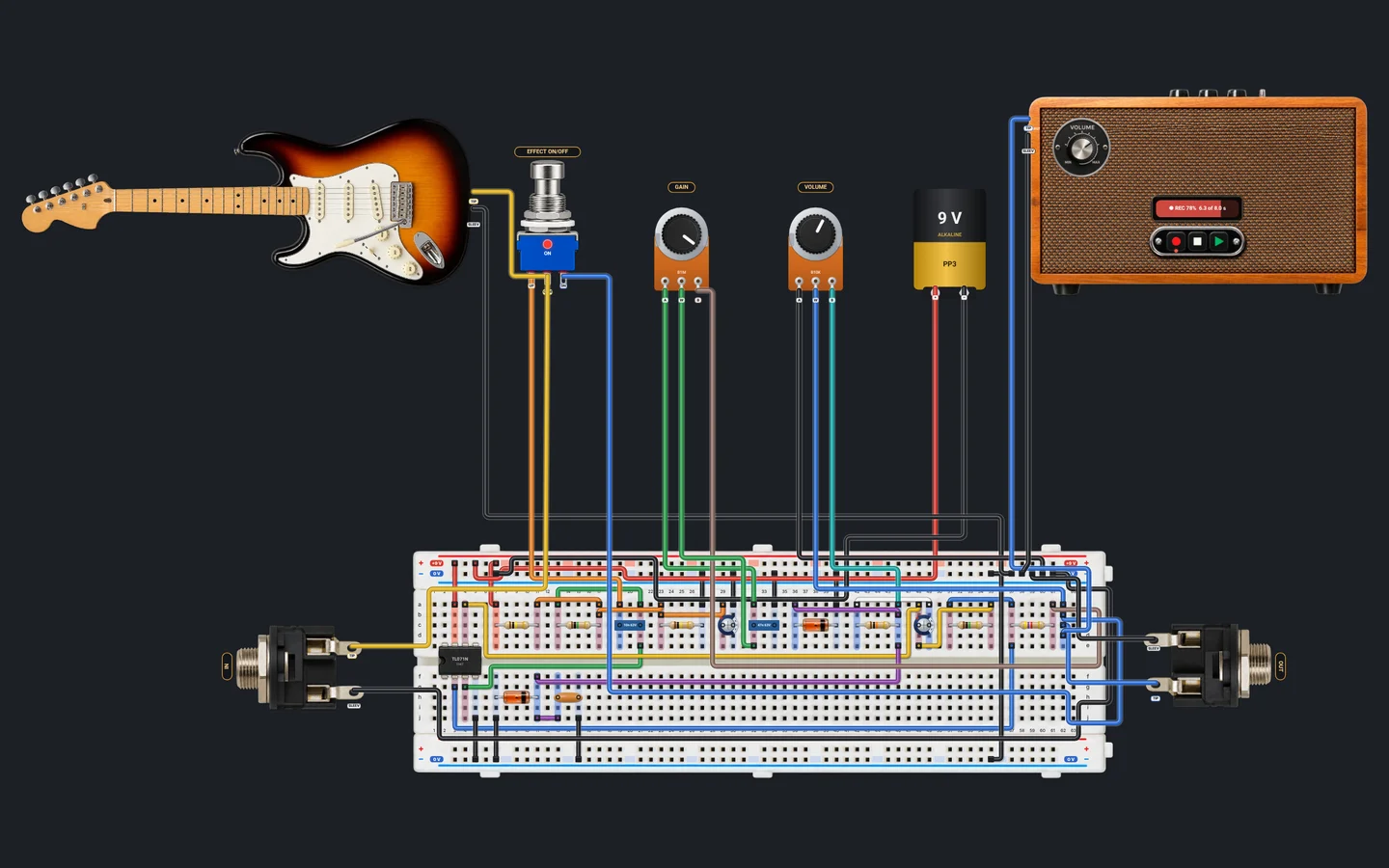
Germanium distortion
An op amp drives a pair of germanium diodes, drawn from photos of the real OA91 and 1N34A.
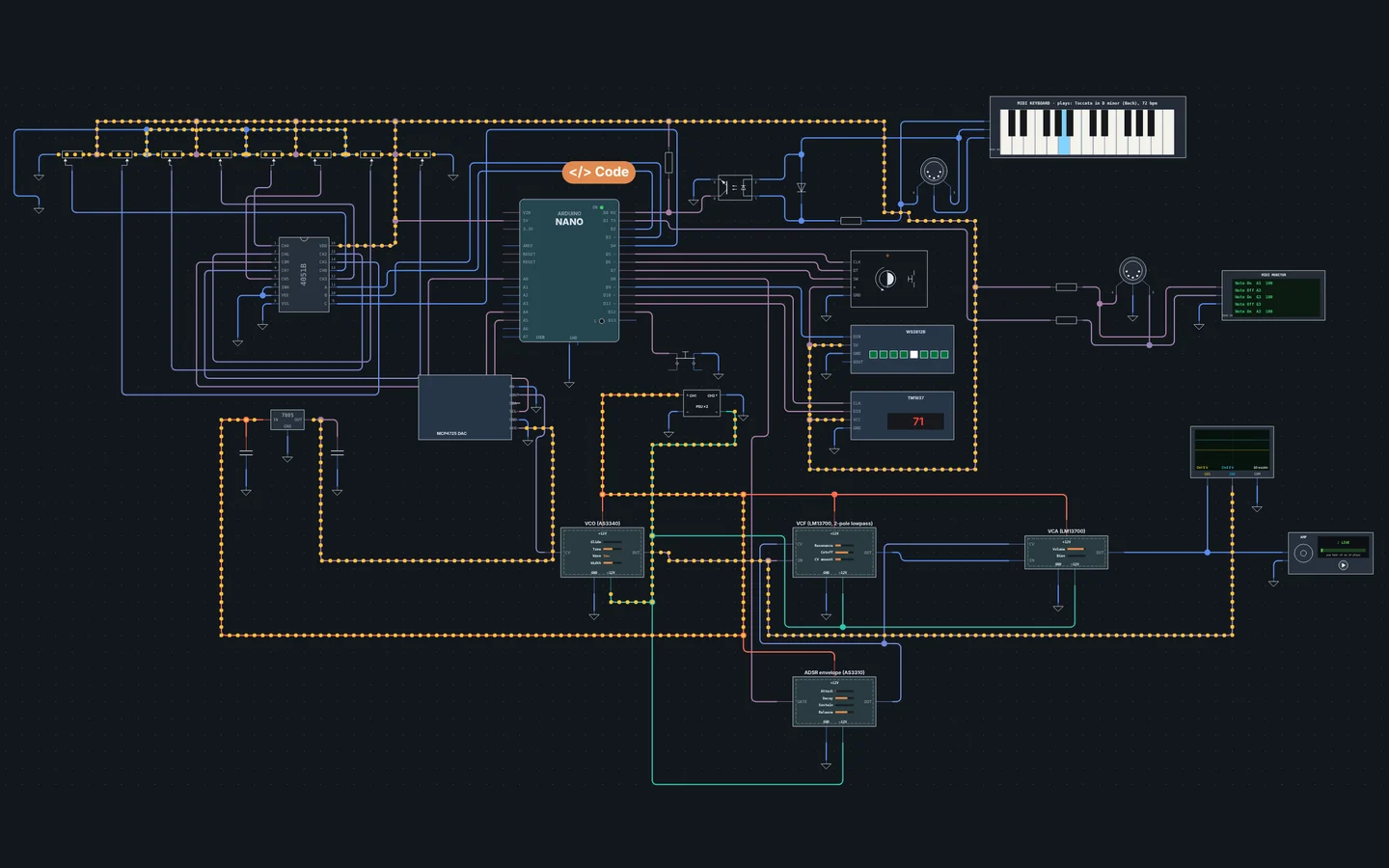
Analog synthesizer
An 8-step sequencer on a Nano, a VCO, filter, ADSR and VCA. Play it from your own MIDI keyboard or a MIDI file.
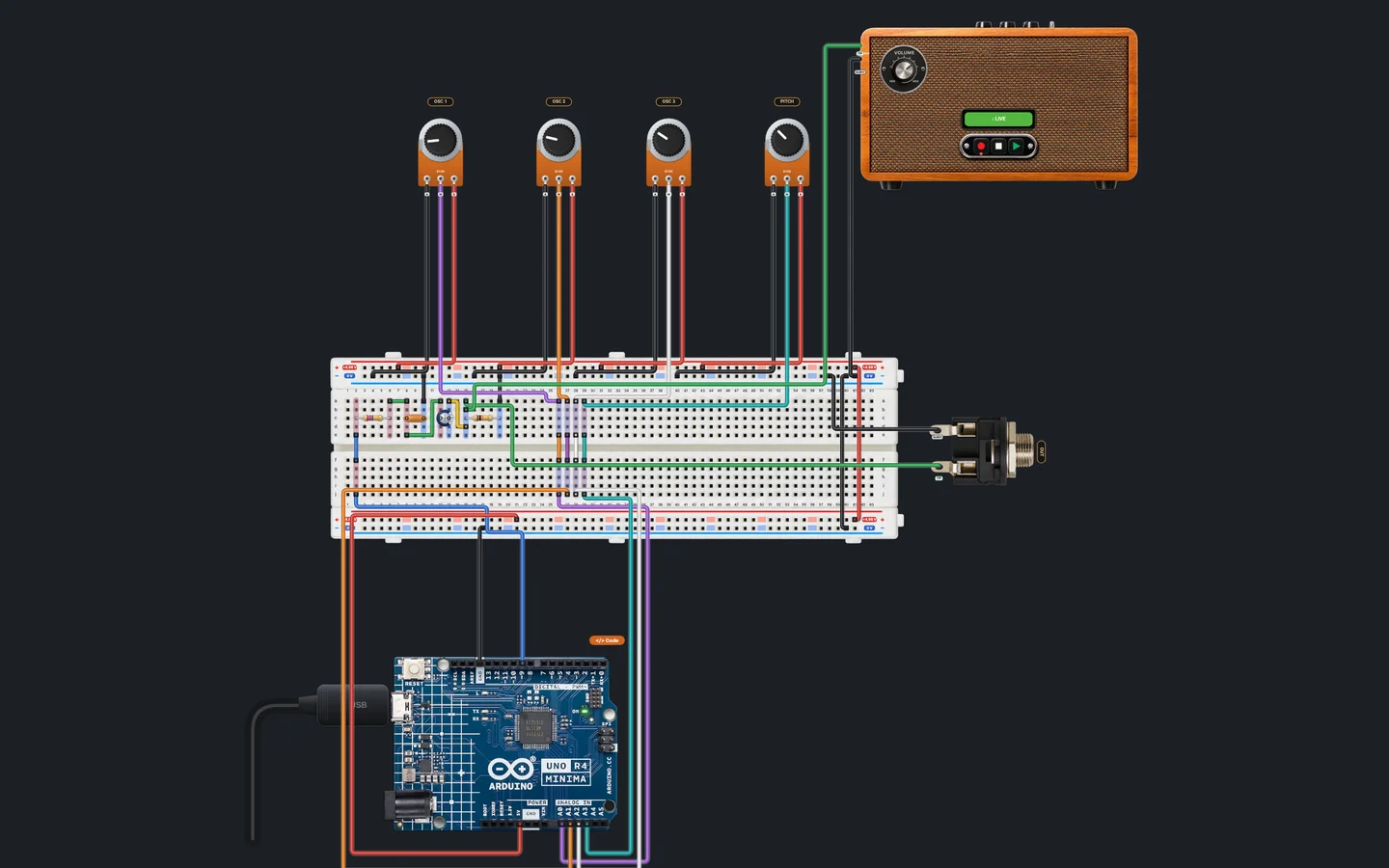
Drone synth
Three oscillators on one Arduino with Mozzi: four knobs, one breadboard, and it plays live as you turn them.
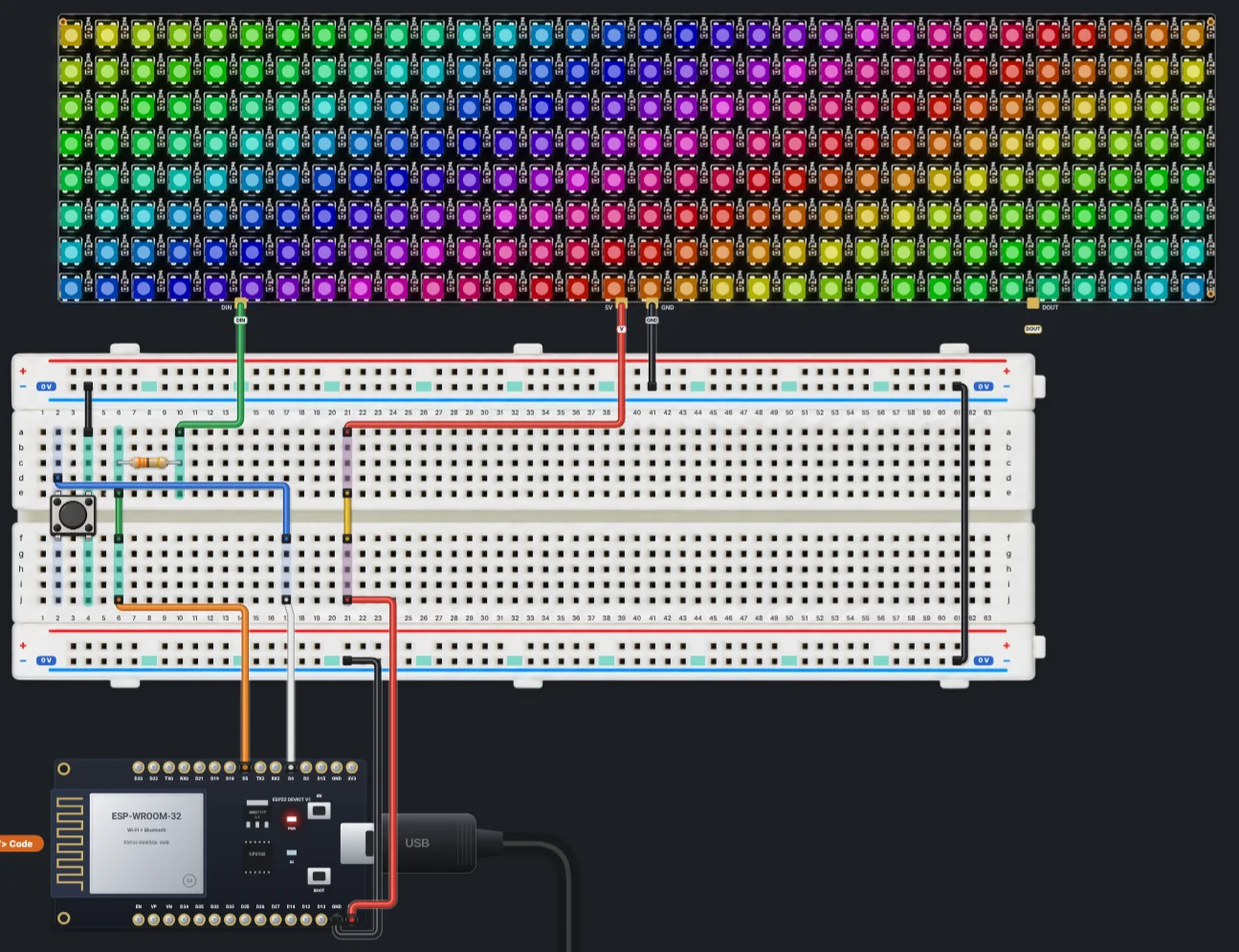
Lamps, signs and clocks in light
From one LED and its resistor to power LEDs on heatsinks, mains lamps on a dimmer, WS2812B panels and rings, and the thin flexible nOOds: build a WLED-style lamp with its own web page, a ring clock, or a glowing sign.
- 16 × 16 and 8 × 32 panels, 24 and 40 LED rings, chained on one data pin
- Warm and cool whites, colours and effects: rainbow, fire, plasma, candle
- A current limit worked out from what each frame draws, as WLED does
- nOOds in any colour and length, with a constant-current driver
- Power LEDs on constant-current drivers, and their heatsinks' temperature shown as they warm up
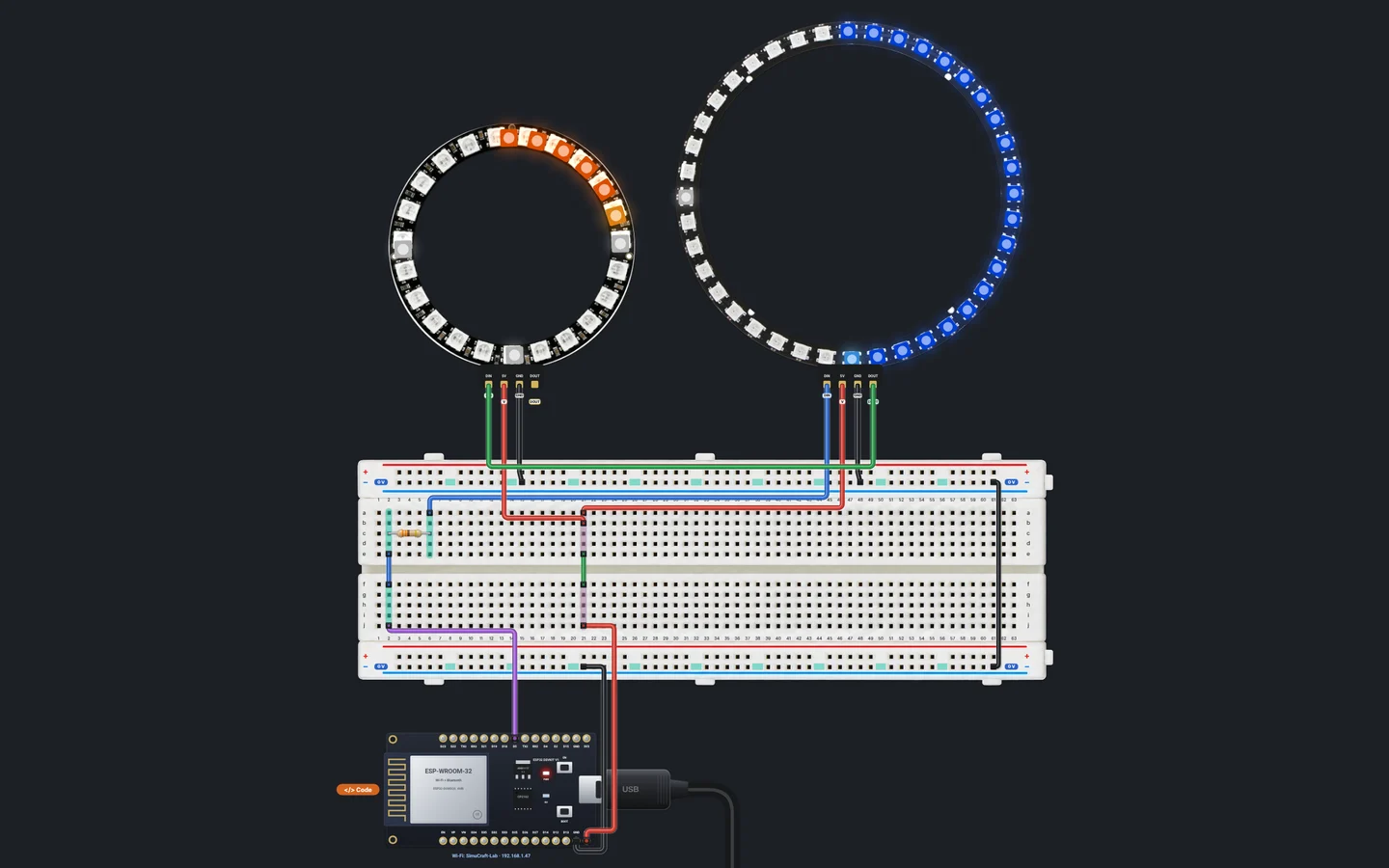
Ring clock
The small ring is the hour hand, the big ring the minutes, set from the internet's time.
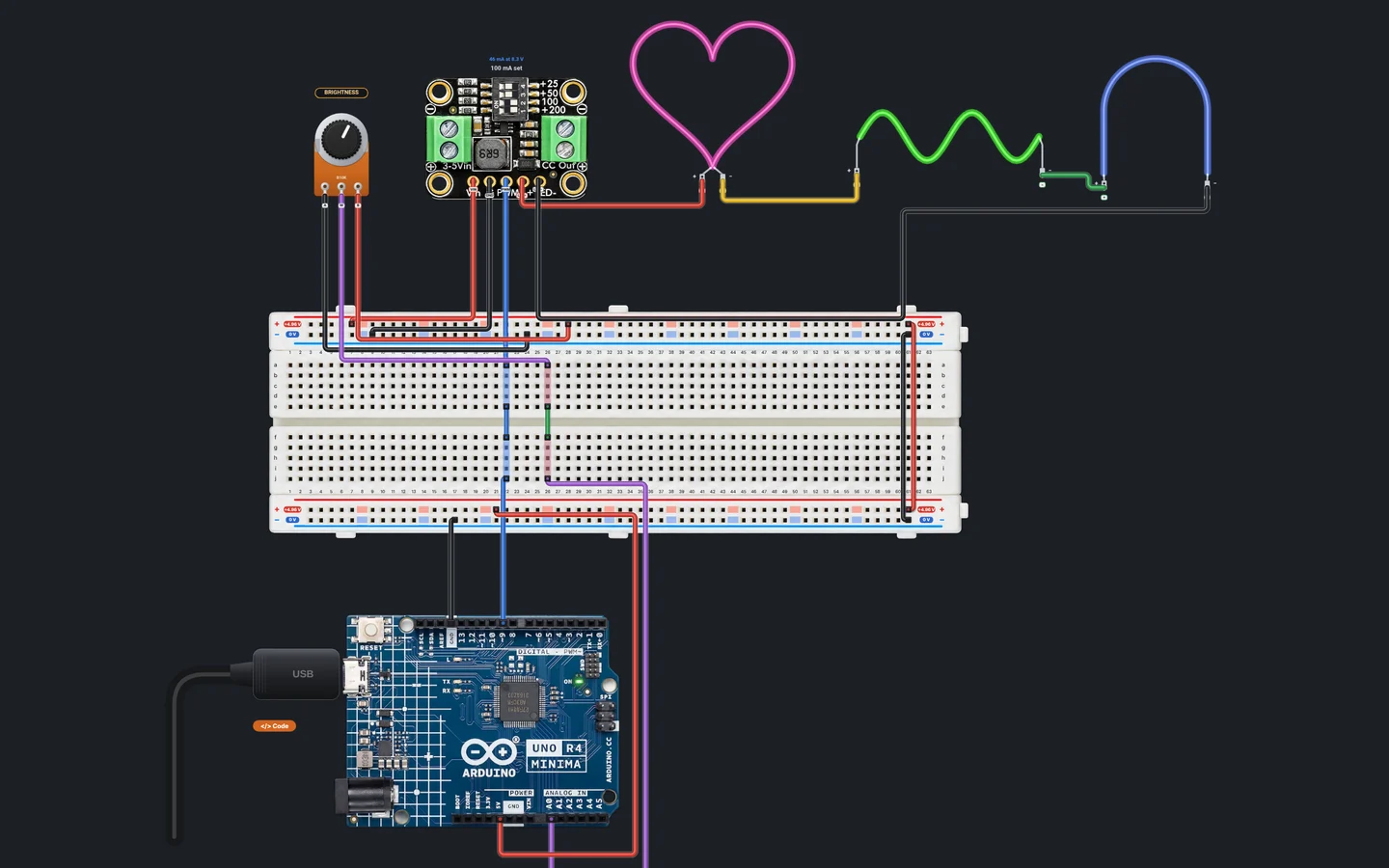
nOOds sign
Flexible LED filaments bent into a heart and a wave, dimmed by a constant-current driver.
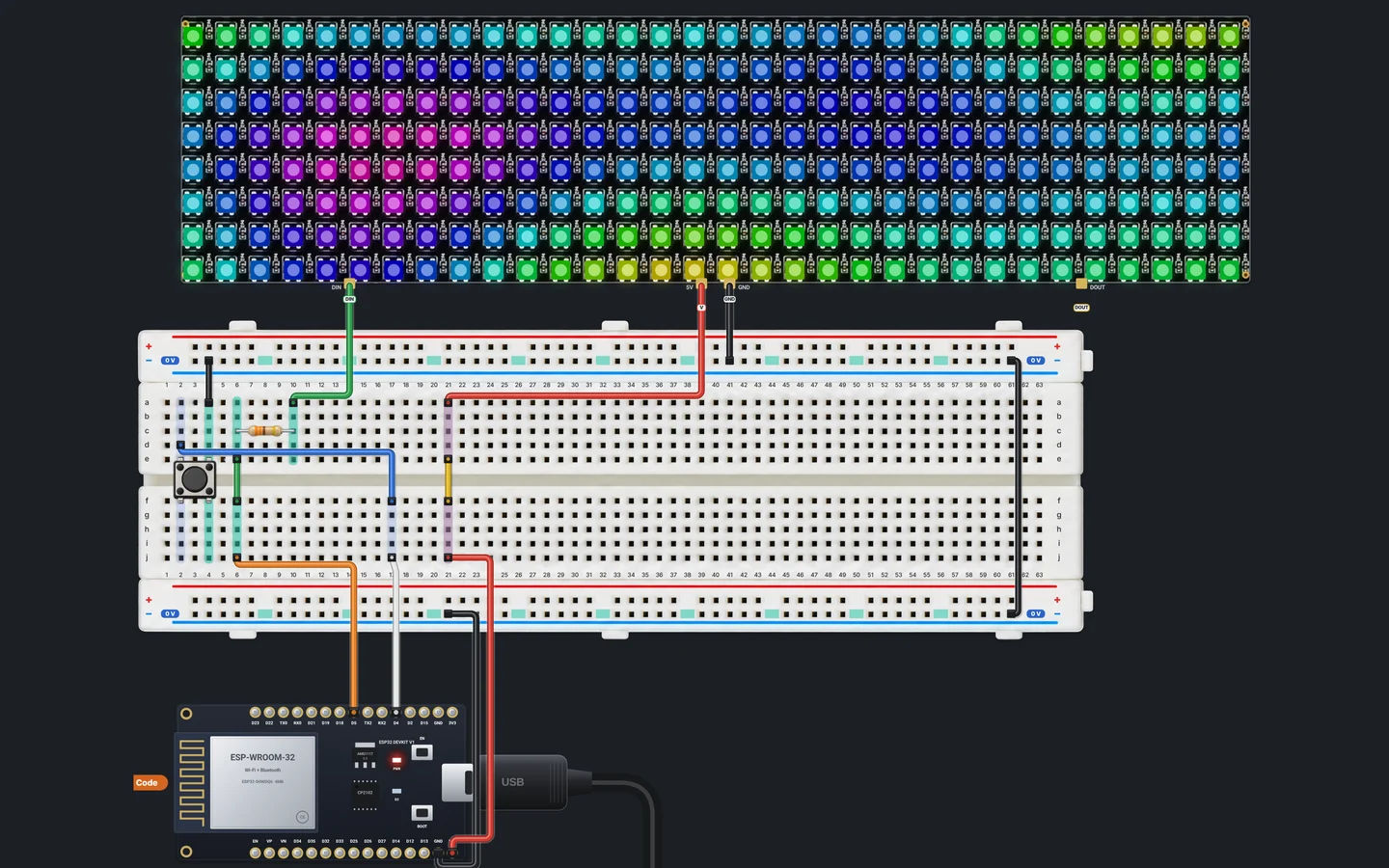
WLED-style lamp
Rainbow, fire and plasma on an 8 × 32 panel, its current kept within the supply, as WLED does.
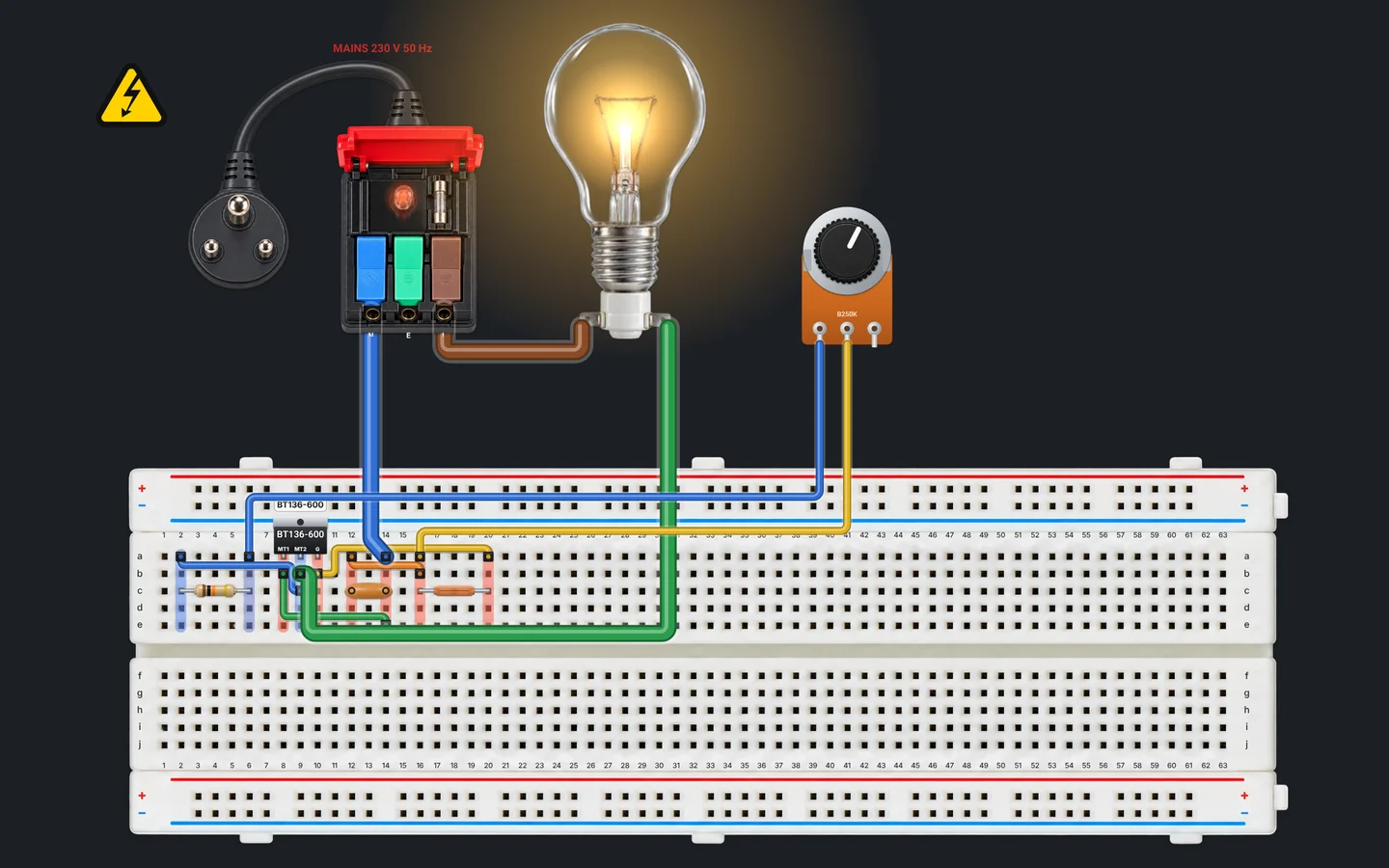
Lamp dimmer
A triac and diac dim a mains lamp: turn the knob and the lamp dims as the triac fires later in each half-cycle.
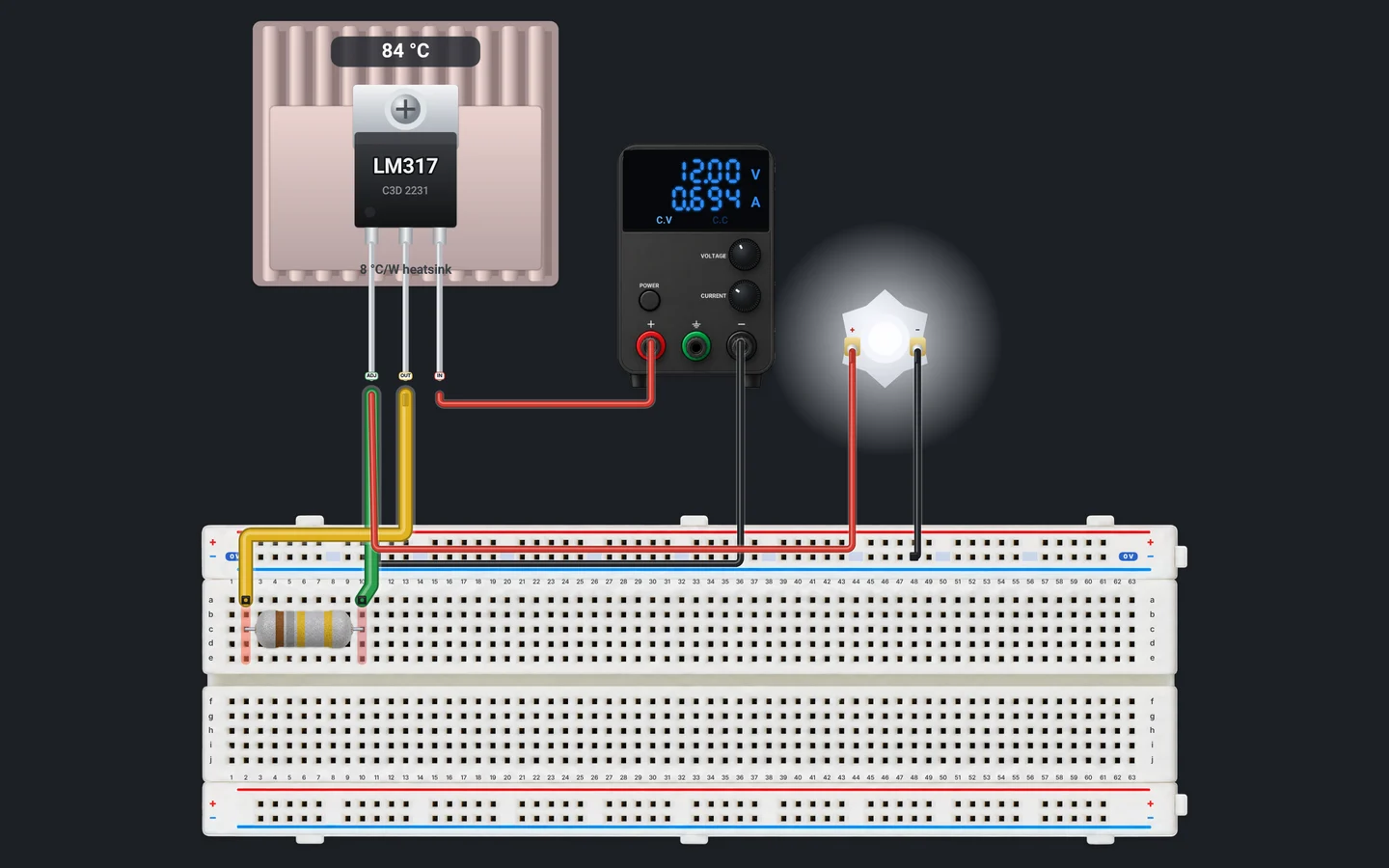
Power LED driver
An LM317 holds a 3 W LED at 700 mA; the heatsink shows how hot the regulator runs.
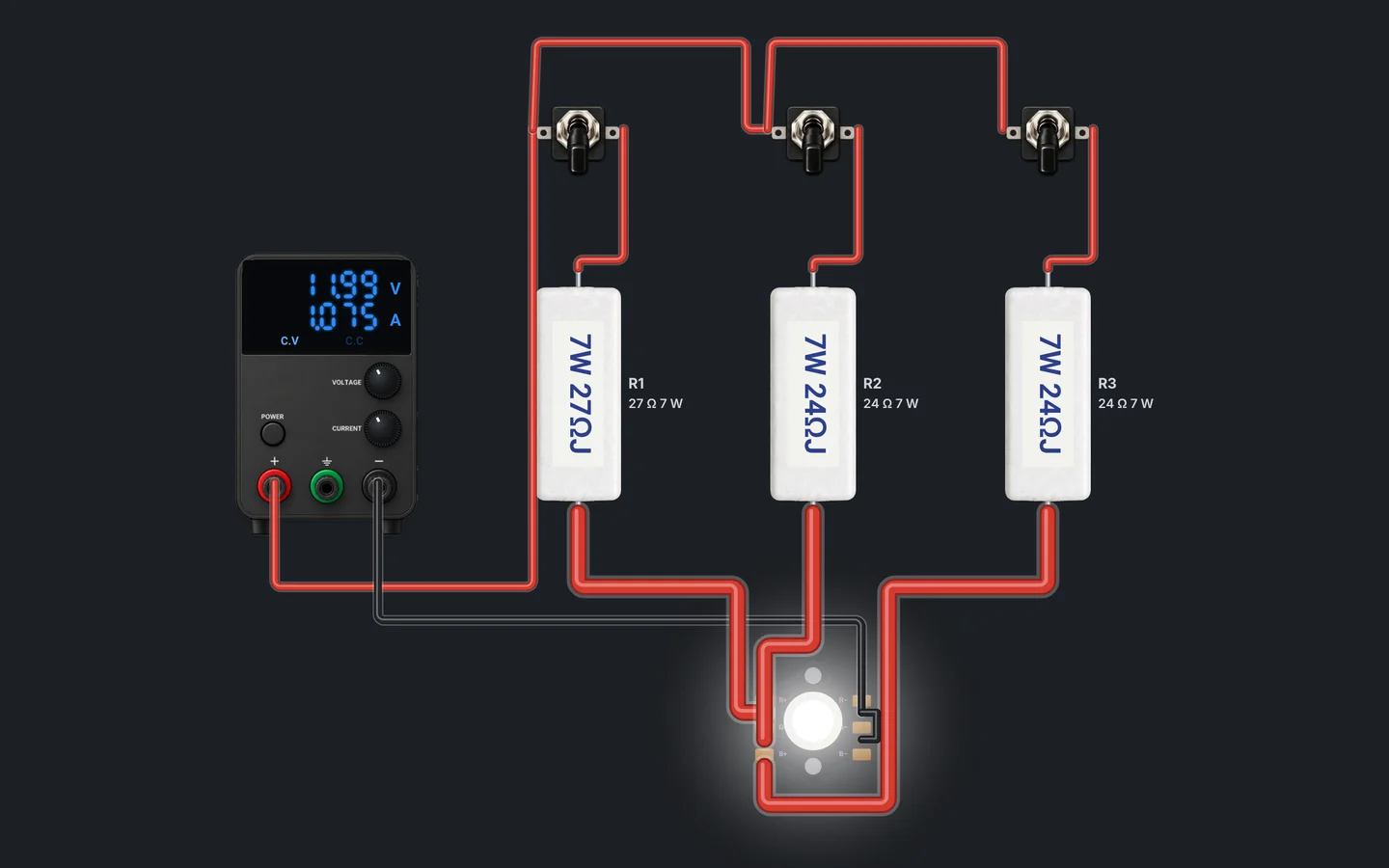
RGB power LED
A 3 W RGB star, each colour on its own resistor: mix them on the bench supply.
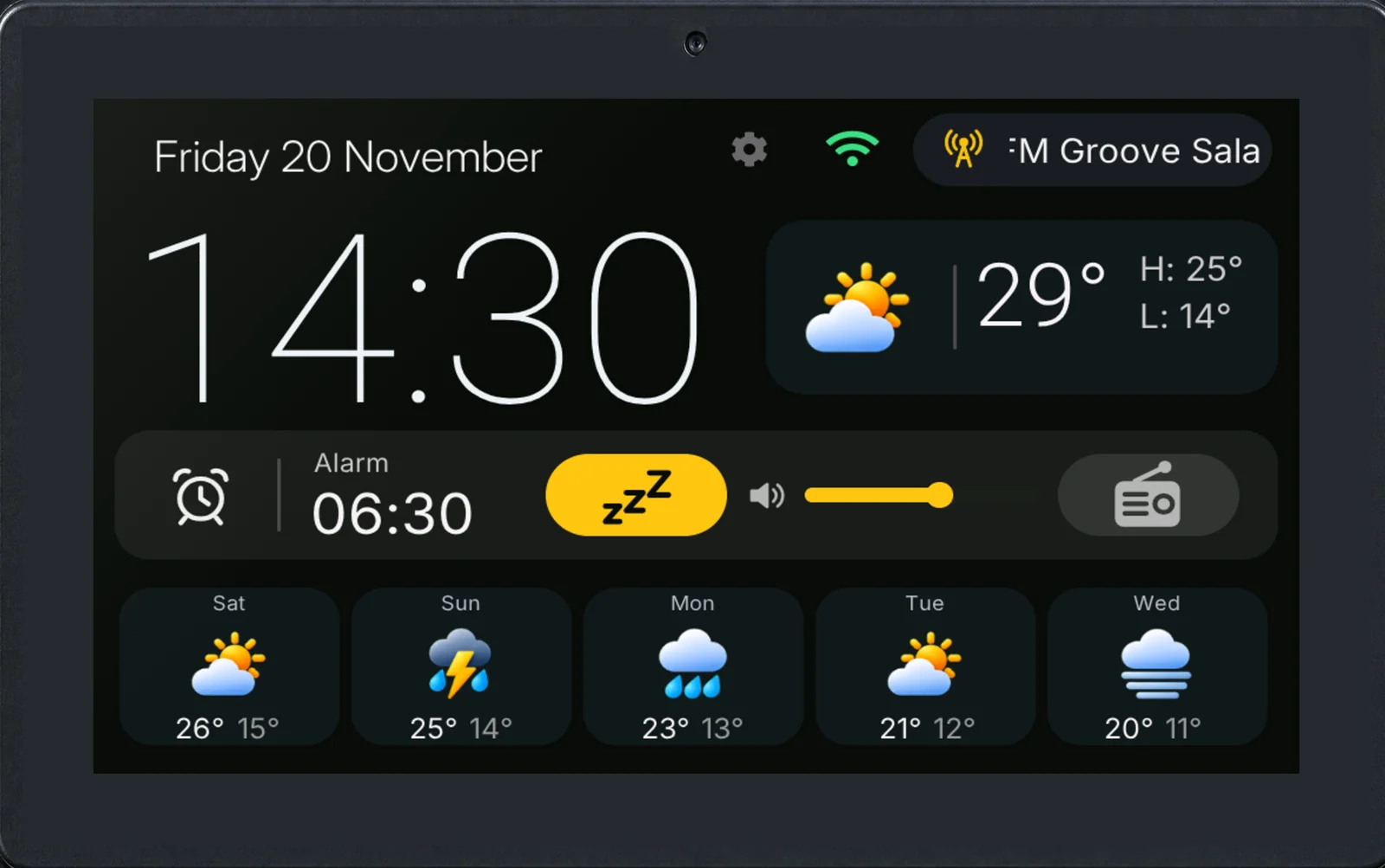
A clock radio, a weather station, a wall panel
The Guition ESP32-P4 boards (4.3" and 7") and the M5Stack Tab5, with complete examples that run on the real boards as they do in SimuCraft.
- A bedside clock radio: ten screens, a sunrise alarm, internet radio, a station finder, the week's weather
- Brightness, dimming and night set in the designer, with no code
- Wi-Fi chosen on the screen, with an on-screen keyboard
- Lessons that take each one apart, from how the designer and your code fit together to the clock radio step by step
Also: M5Stack Core Ink, Dial and Core2, MaTouch round displays, the T-Display, the Cheap Yellow Display, the Freenove 4" and the GIGA Display.
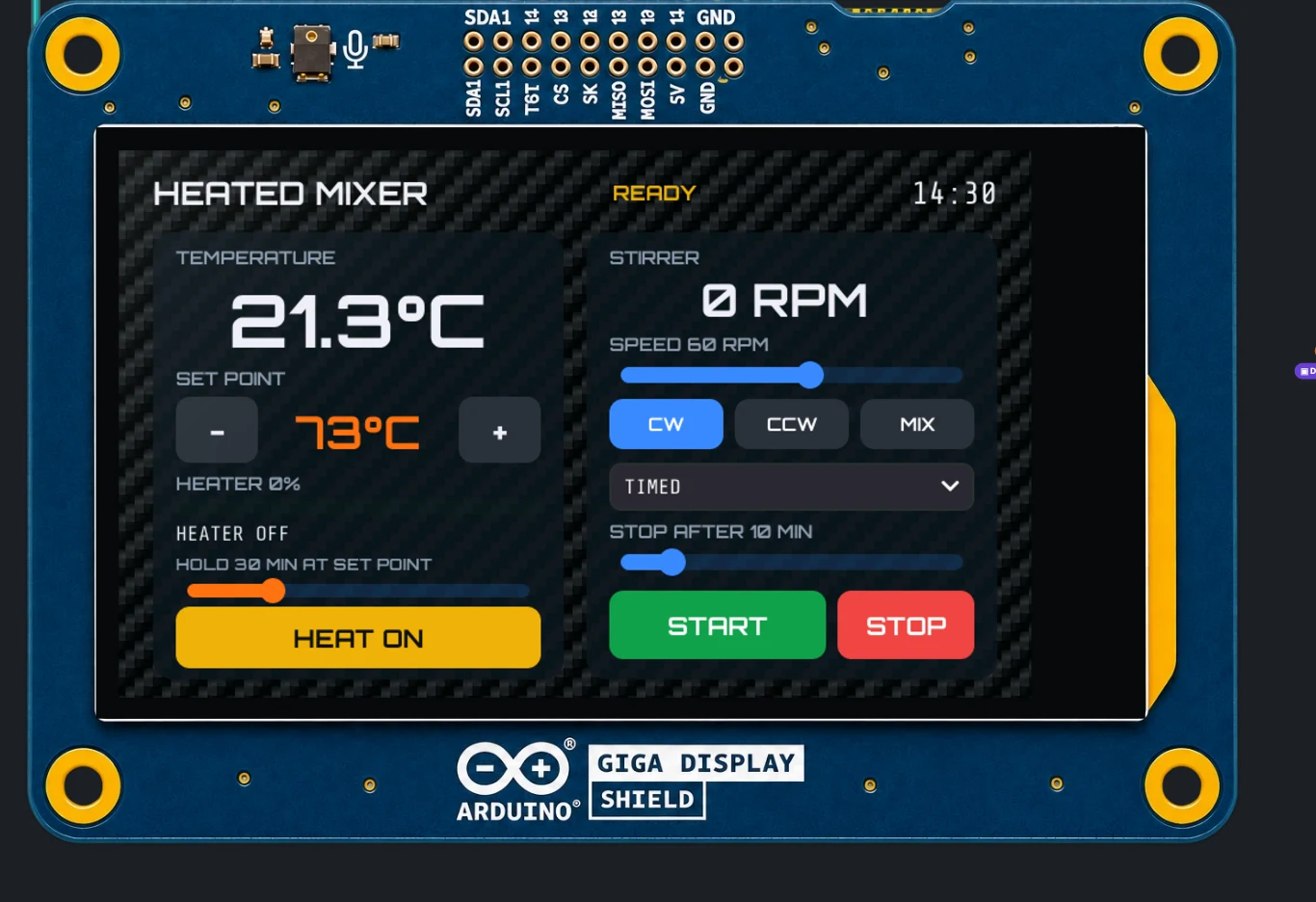
The Heated Mixer: a machine, not a demo
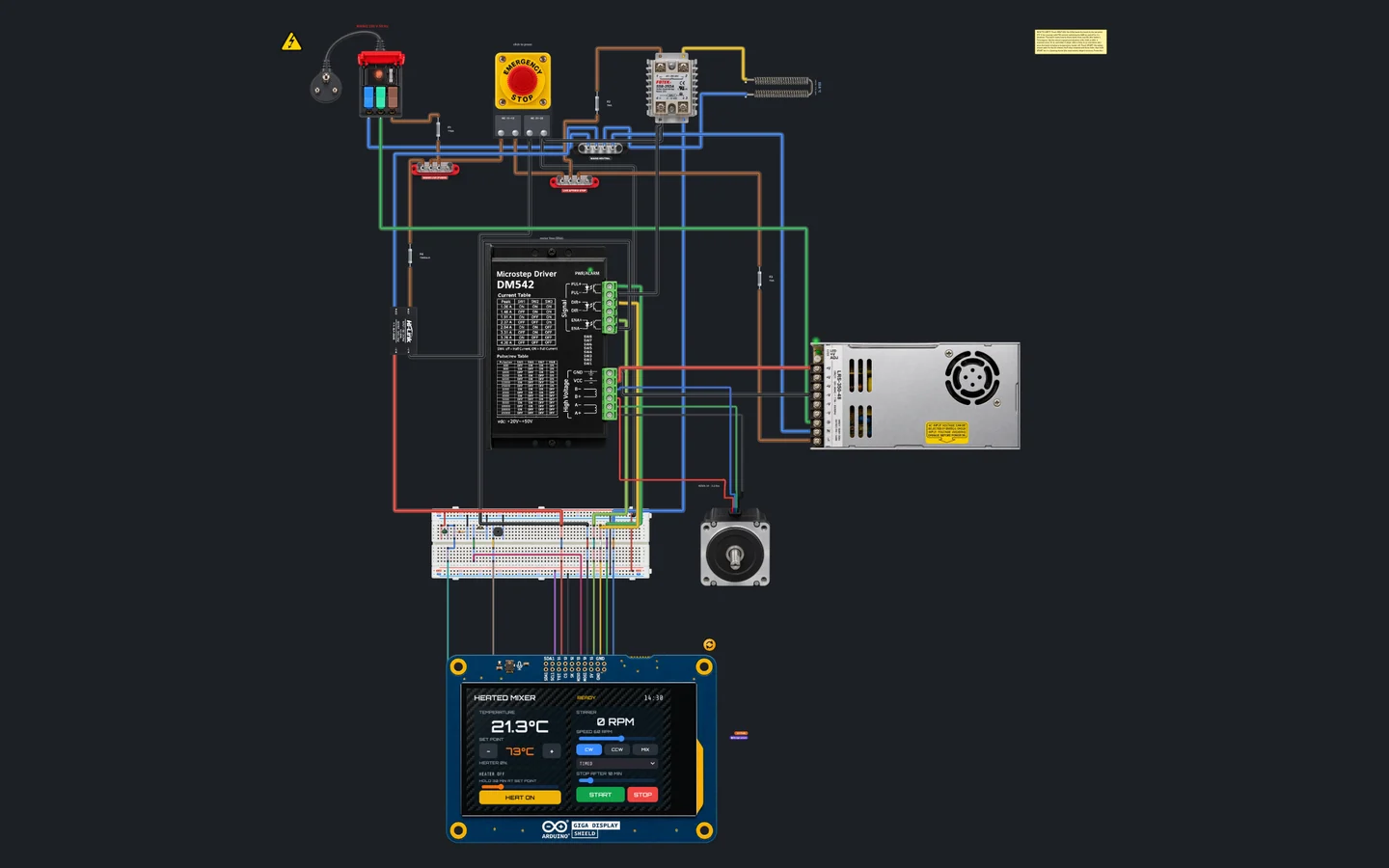
A batch heater and stirrer, as built for an industrial kitchen: a 230 V heater through a solid-state relay, a NEMA 34 stepper on a DM542 driver, a temperature probe in the batch, an emergency stop and a lid switch, run from a touch screen on the Arduino GIGA.
- Heats to the set point and holds it for the time you choose, then stirs, cools or stops
- Safety first: the E-stop cuts the heater and the motor, the lid must be shut, and nothing starts until every check is green
- The screen designed in SimuCraft, the sketch running in the simulator exactly as on the board
- The whole build drawn: mains inlet, fuses, bus bars, supply, driver and motor, each wire sized for its current
Solar power, from panel to battery to screen
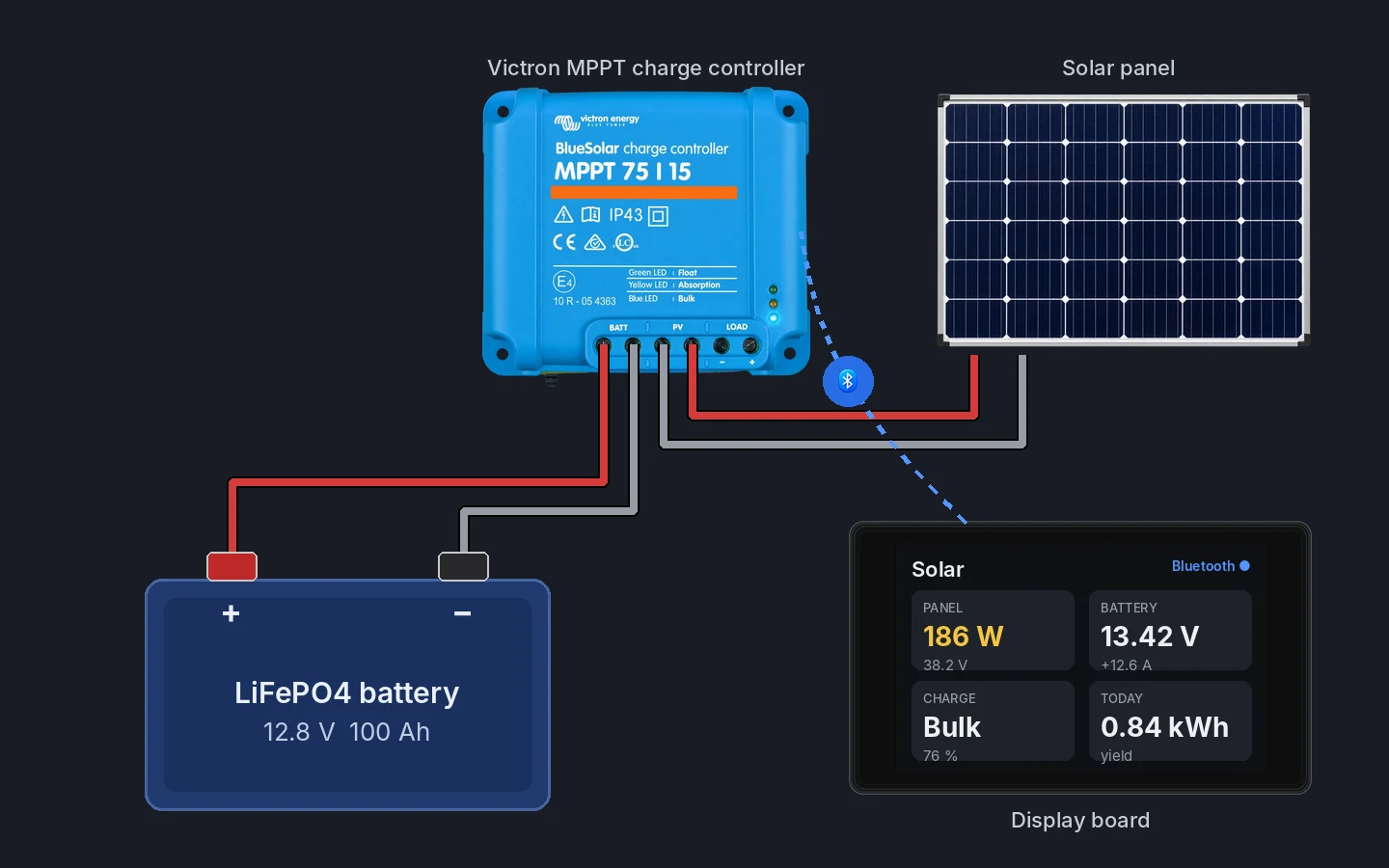
We're building SimuCraft's solar category: panels, MPPT charge controllers, battery banks with their fuses, isolators and shunts, and a display board that reads the charge controller's figures over Bluetooth.
- Victron MPPT charge controllers and the SmartShunt, drawn from the real units and charging as they do
- Panel, battery and load wired as a real system: MC4 plugs, ANL fuse, isolator switch, heavy cable
- The figures on a screen: panel watts, battery volts and current, charge state and today's yield, read over Bluetooth from the charge controller as Victron's app does
- Lithium, LiFePO4 and lead-acid charge profiles, each battery simulated as it fills
More than 340 examples to build
Every one opens running, with notes on how it works, and most come with a tidy breadboard or stripboard layout drawn from photos of the real parts.
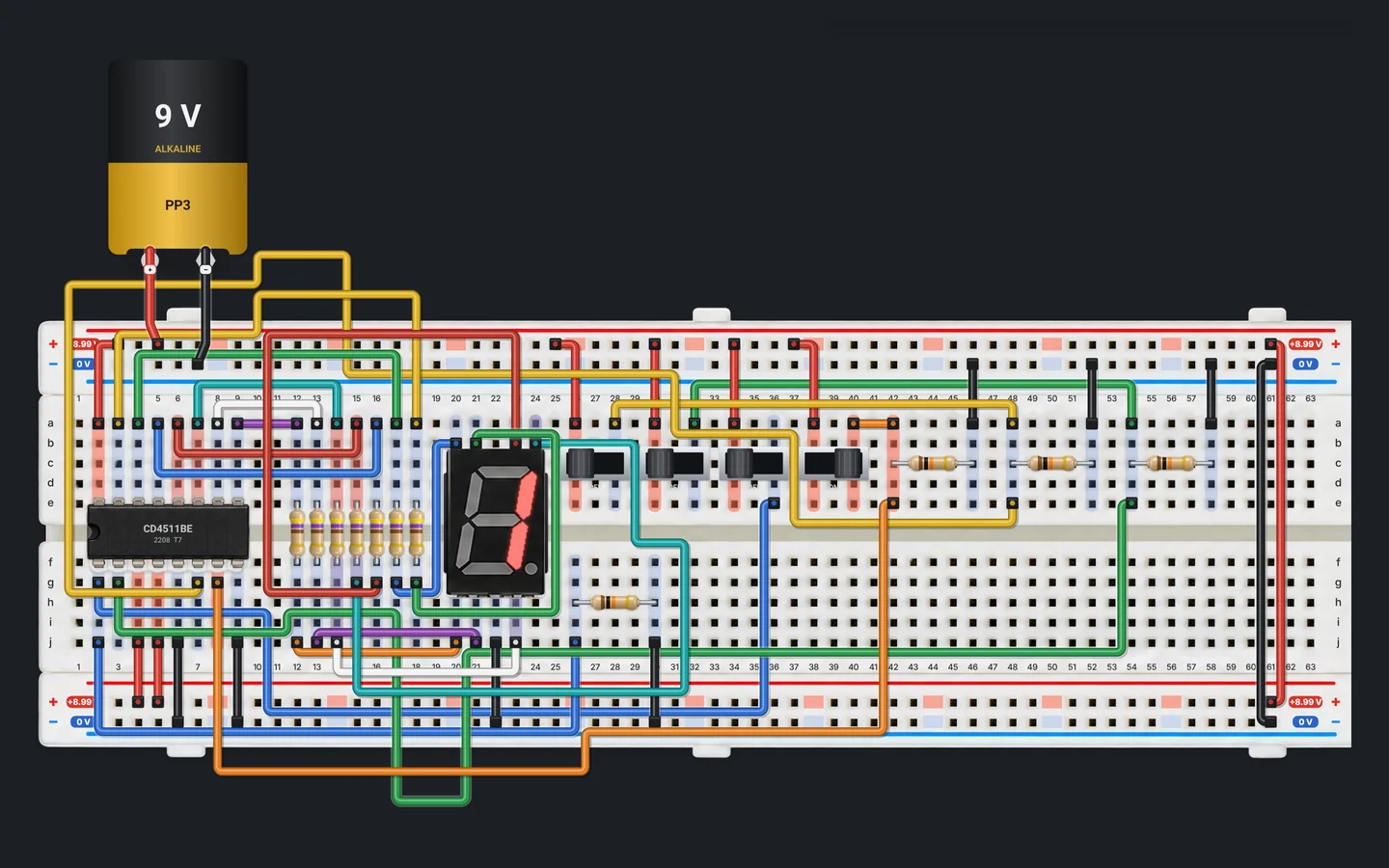
BCD to 7-segment
Flip the switches and the 4511 decoder lights the digit, segment by segment.
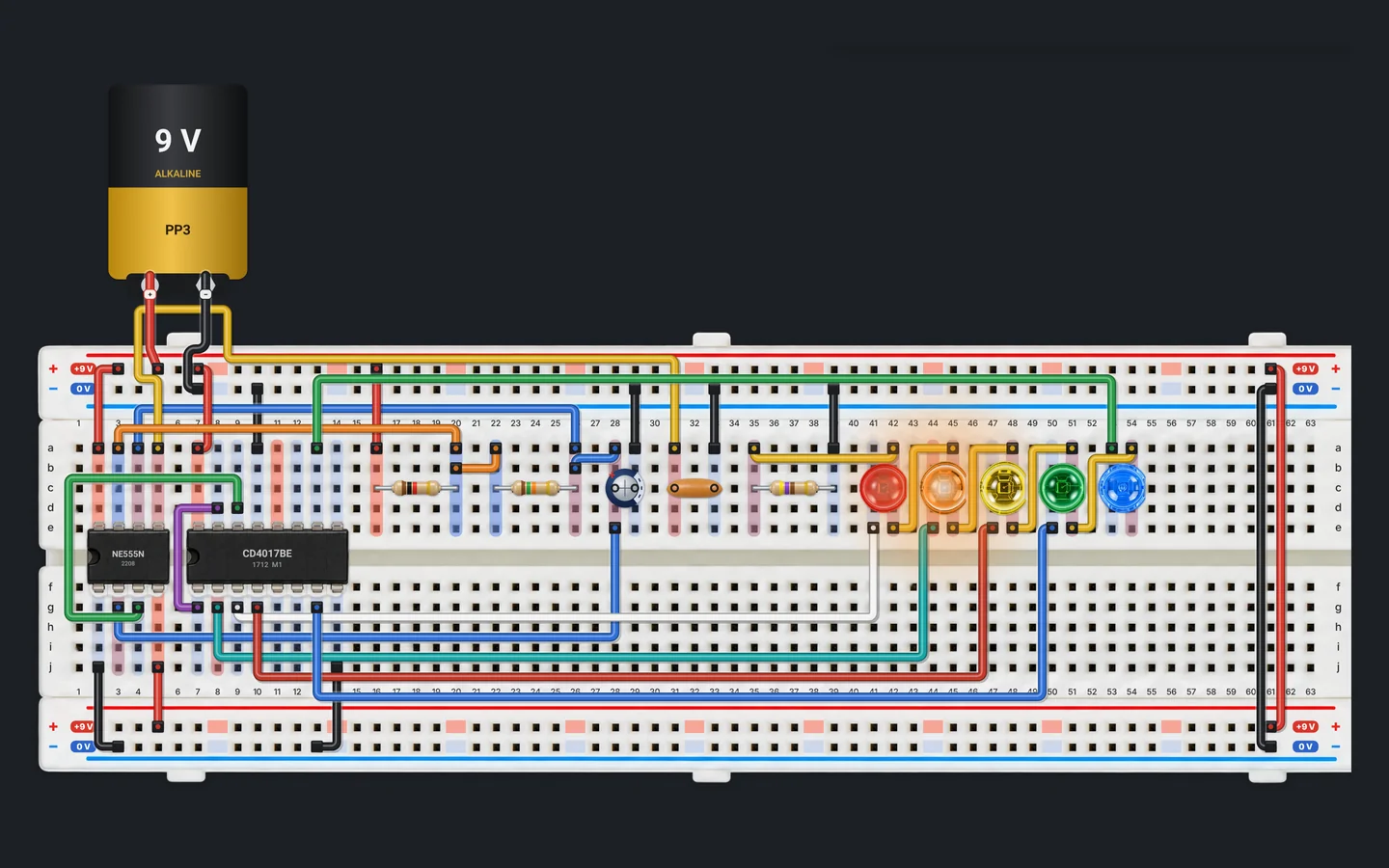
LED chaser
The classic 555 and 4017 light chase, with squared-off jumpers you can copy hole for hole.
Mains inverter on stripboard
The TL494 inverter for real: control on the board, MOSFETs on heatsinks, a scope on the oscillator. Mains voltages: a project for experienced builders.
LM386 audio amplifier
Feed it from the function generator, hear it on the speaker, and see the gain on the scope.
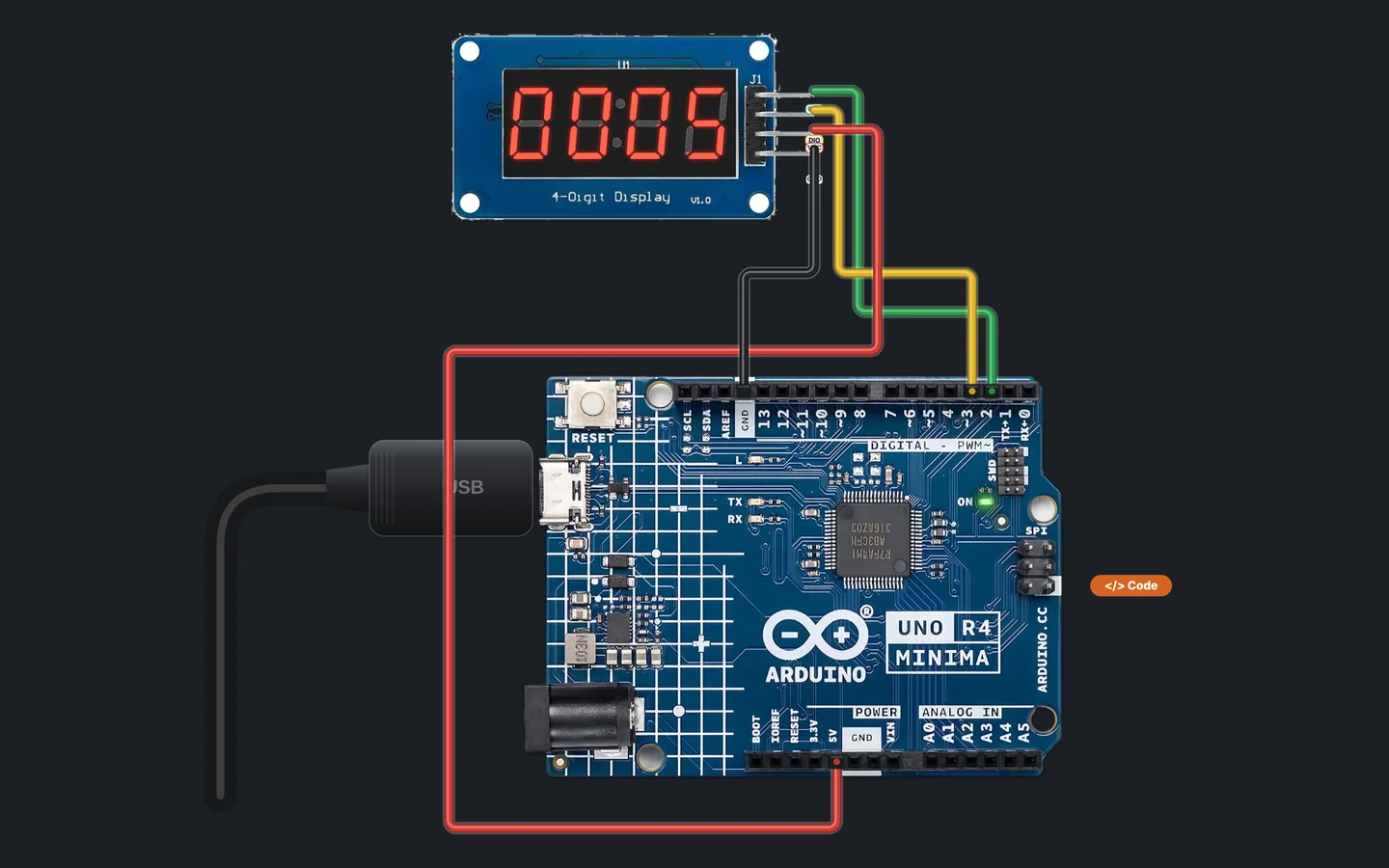
Stopwatch on a TM1637
Four bright digits from two wires, counting on an Arduino.
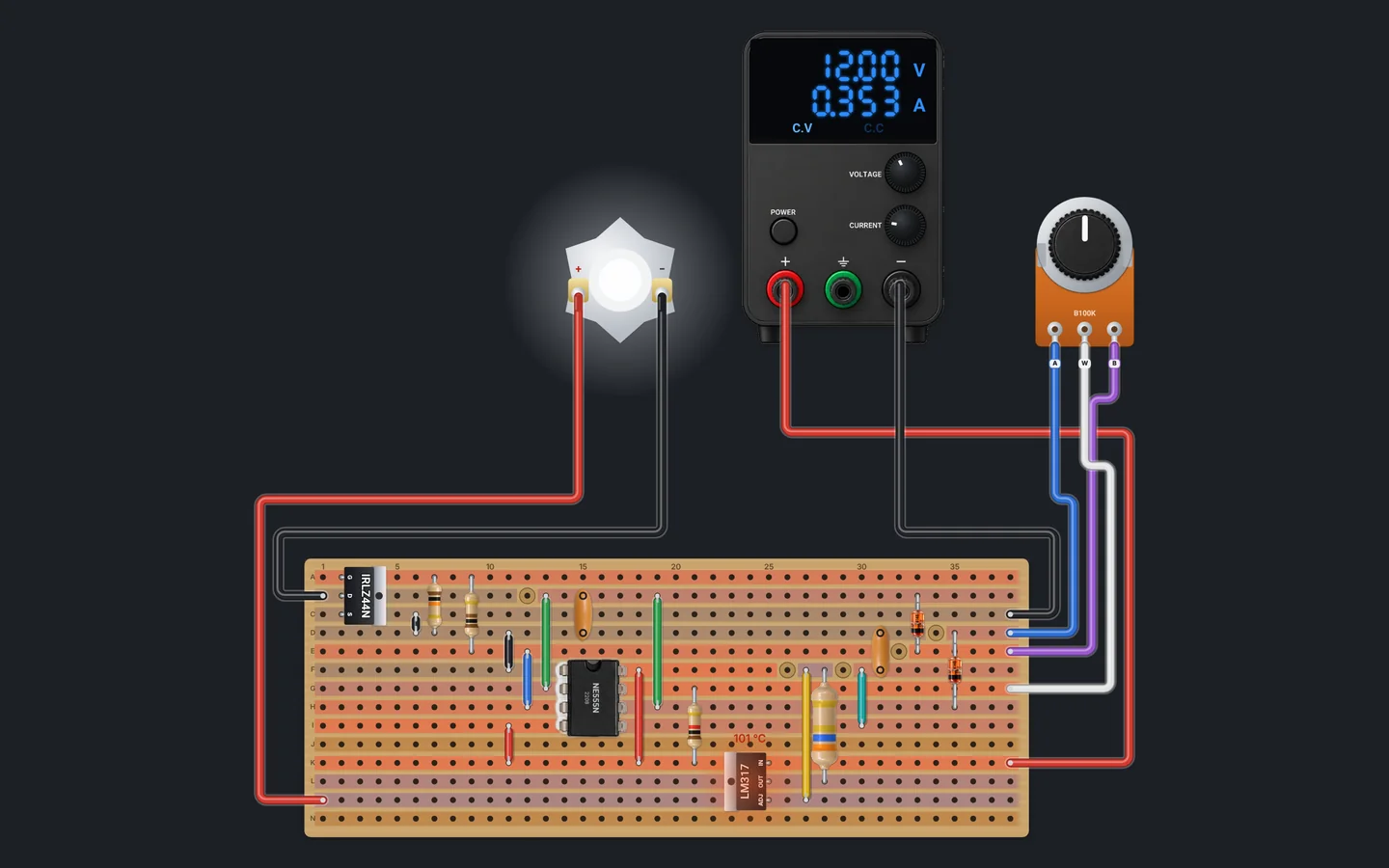
555 PWM dimmer
A 555 chops the power to a bright LED; turn the knob and watch the current on the bench supply.
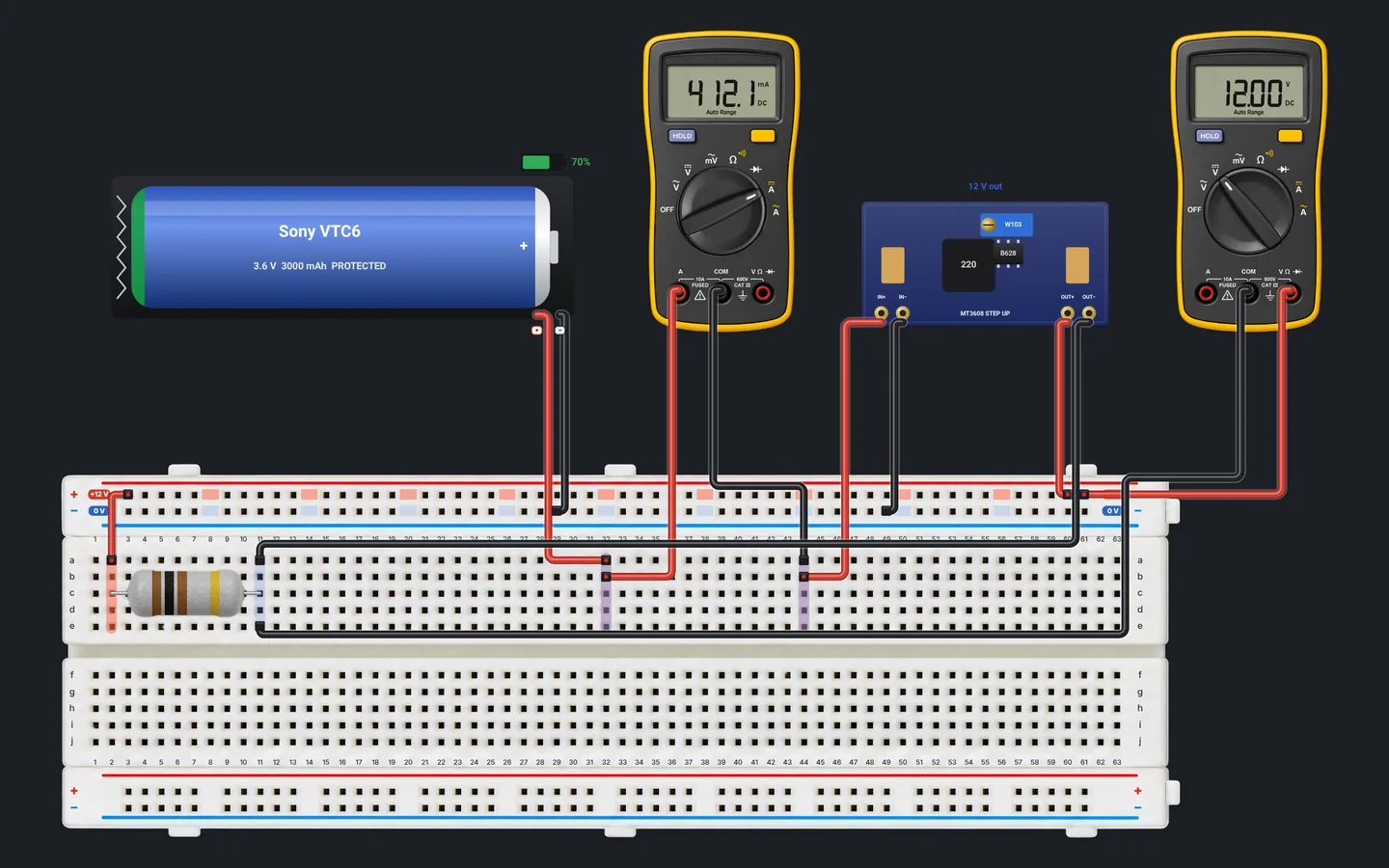
Boost converter
An 18650 cell boosted to 12 V, with a meter on each side to see what goes in and comes out.
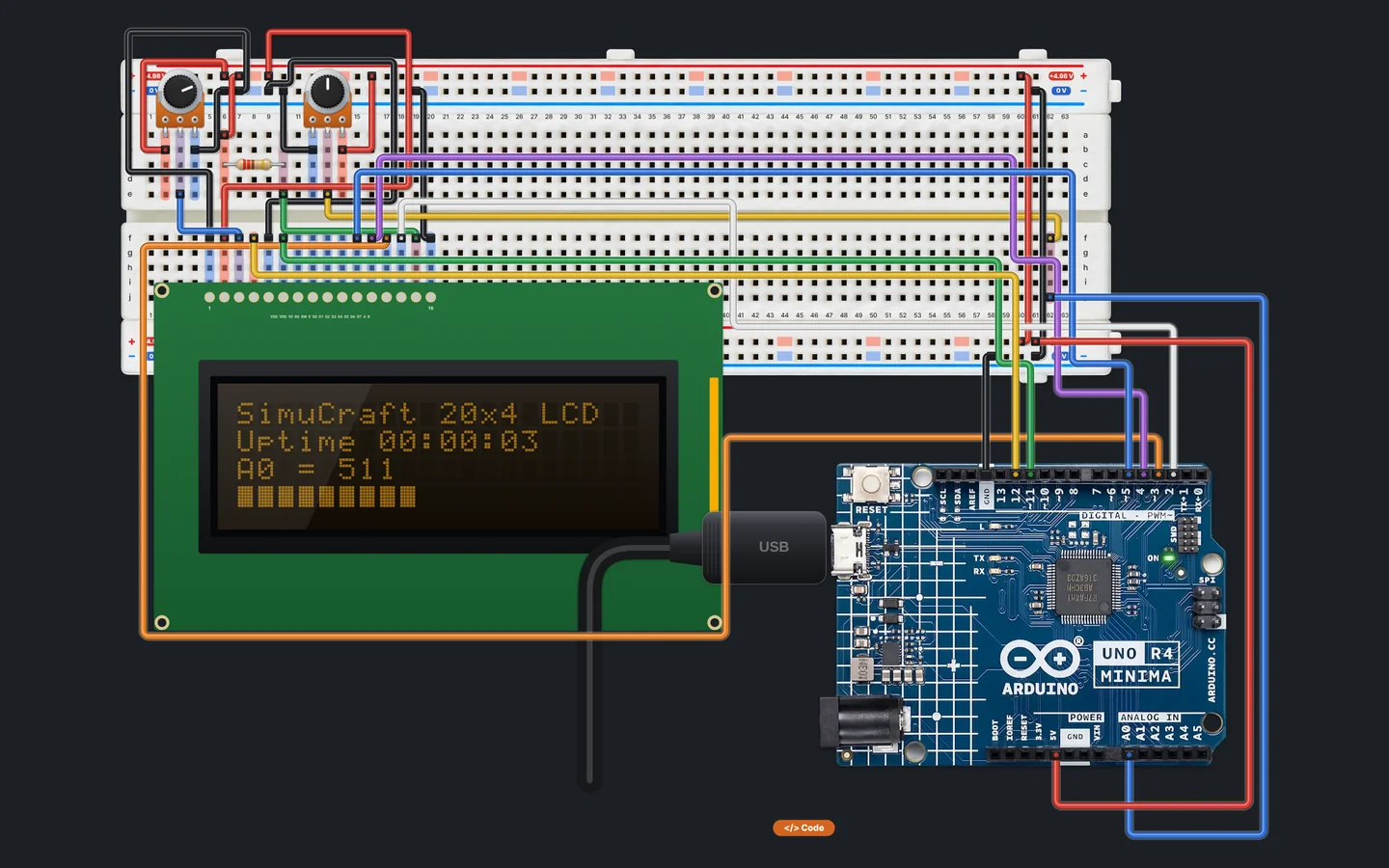
20 × 4 LCD clock
A clock, an analogue reading and a bar graph on a big character display.
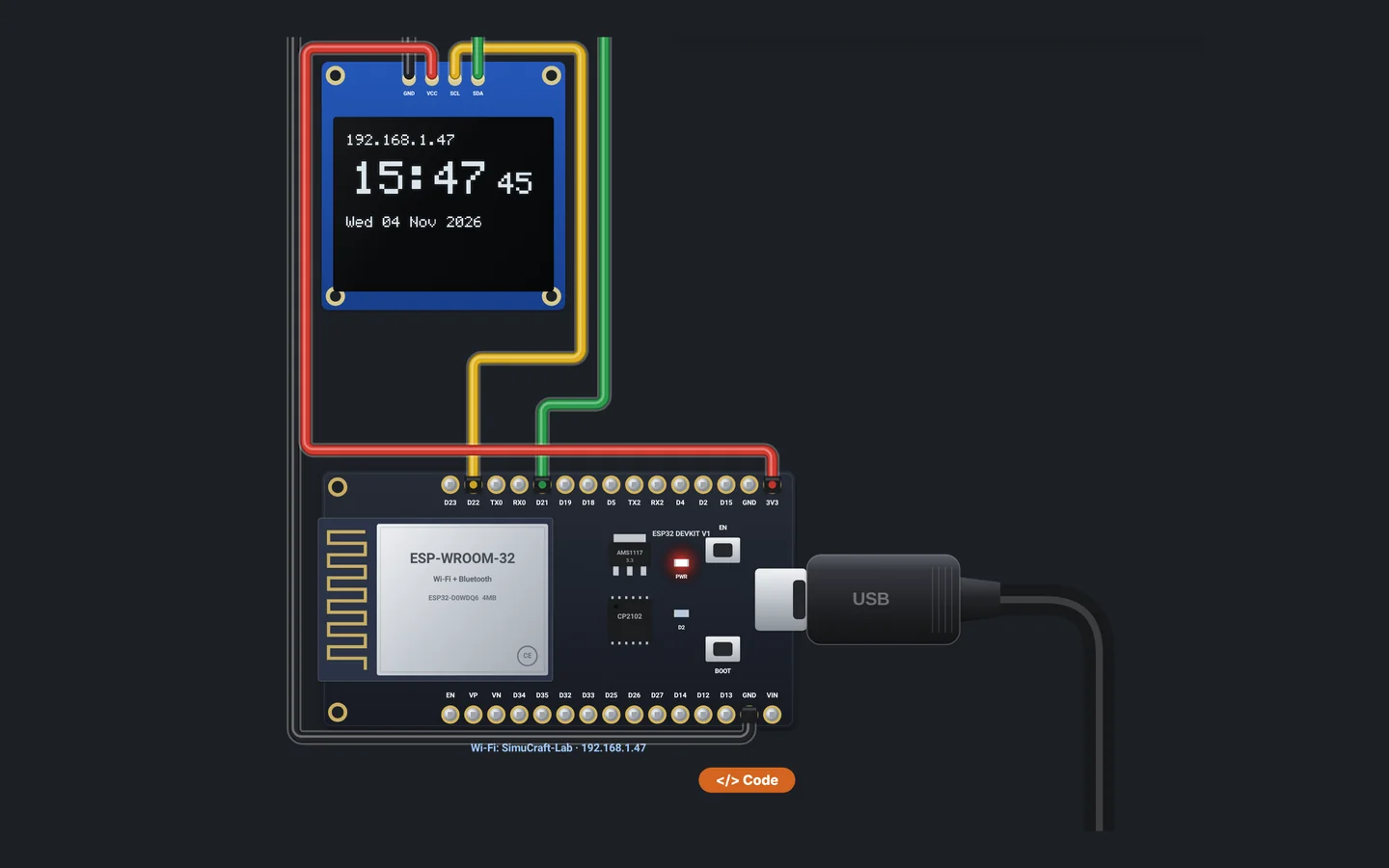
Internet clock on an OLED
An ESP32 joins Wi-Fi, gets the time and draws it on an SSD1306 display.
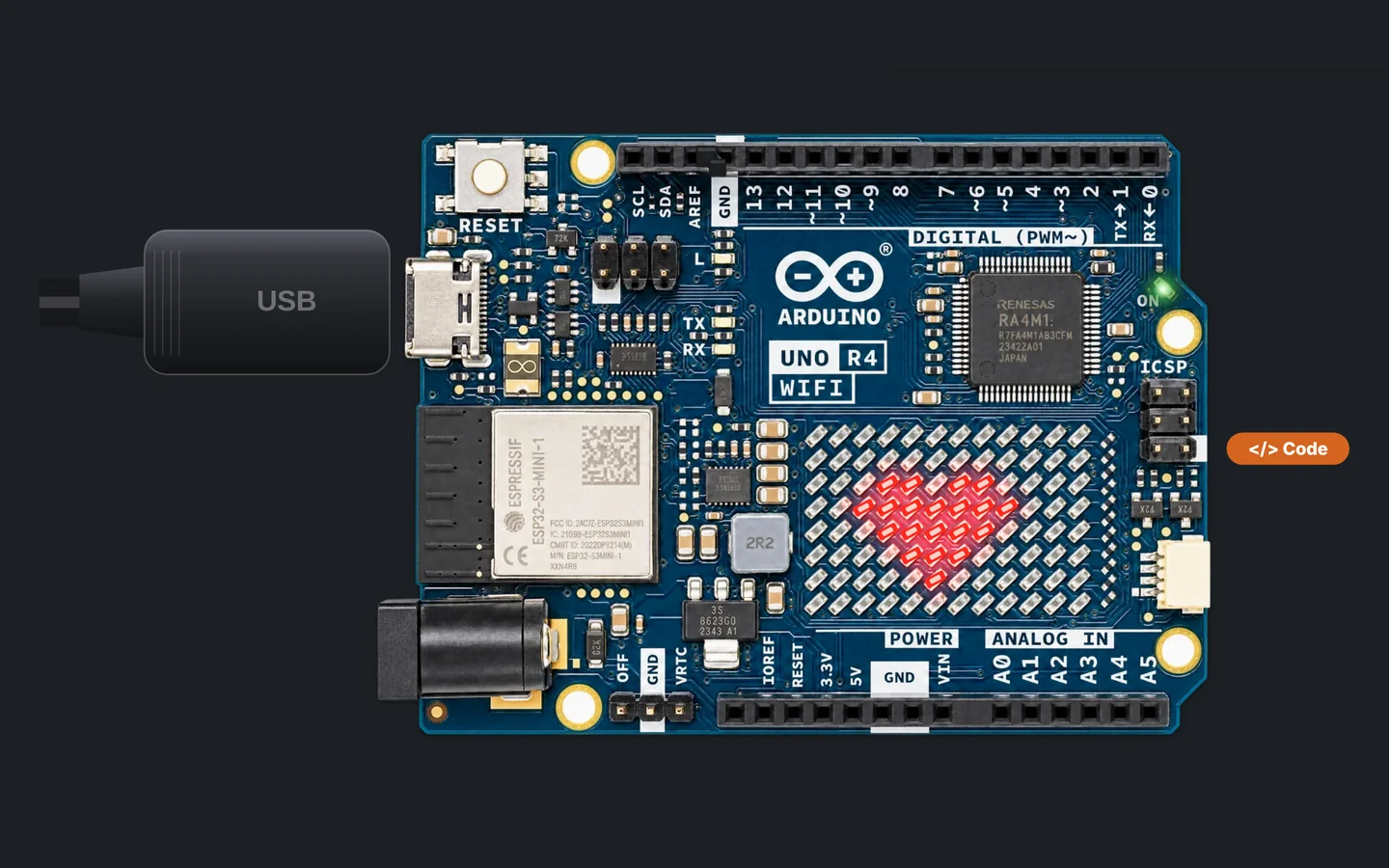
LED matrix
The UNO R4 WiFi's 12 × 8 LED matrix, beating a heart from a few lines of code.
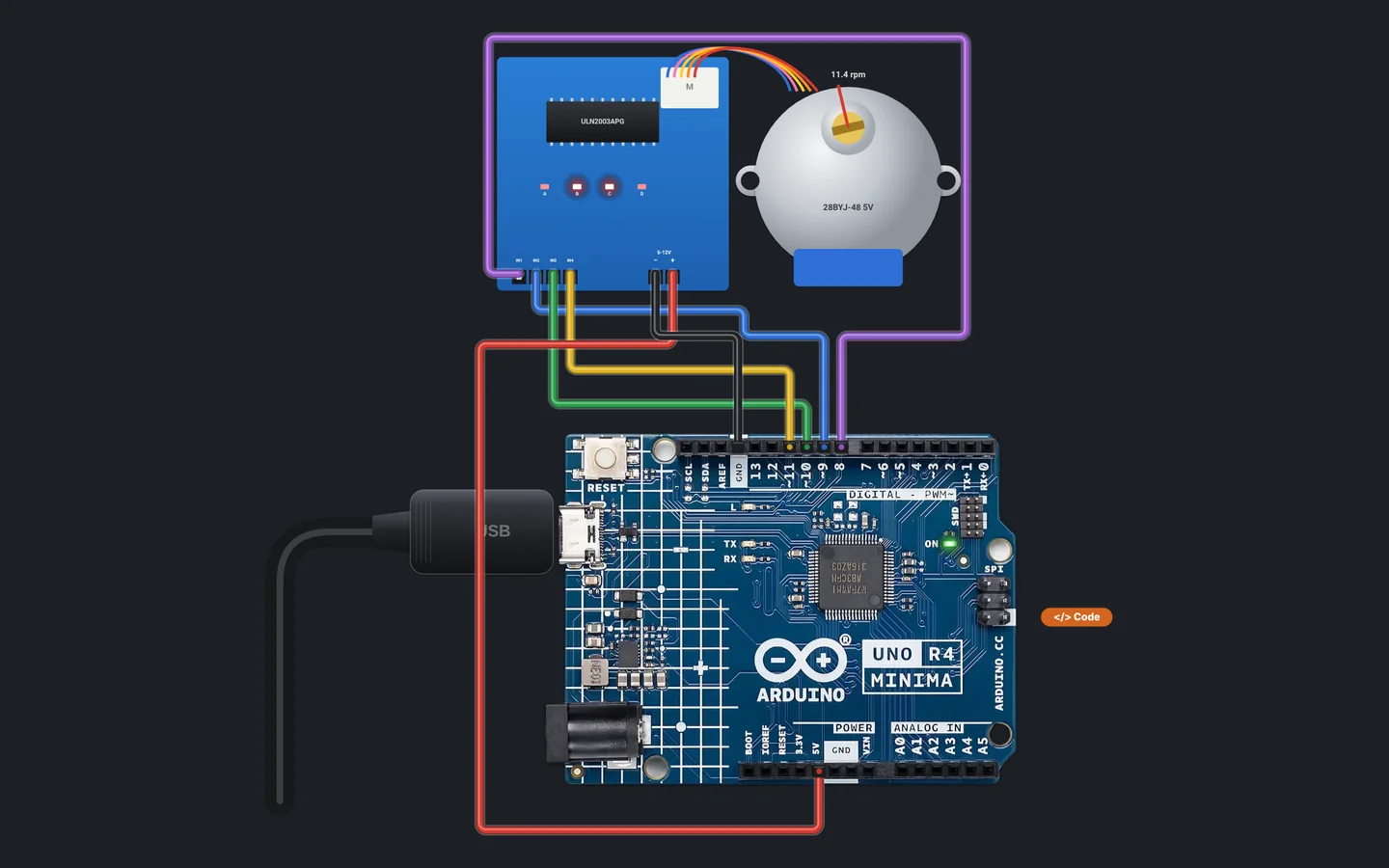
Stepper motor
The 28BYJ-48 and its ULN2003 driver: step it, sweep it, follow a knob.
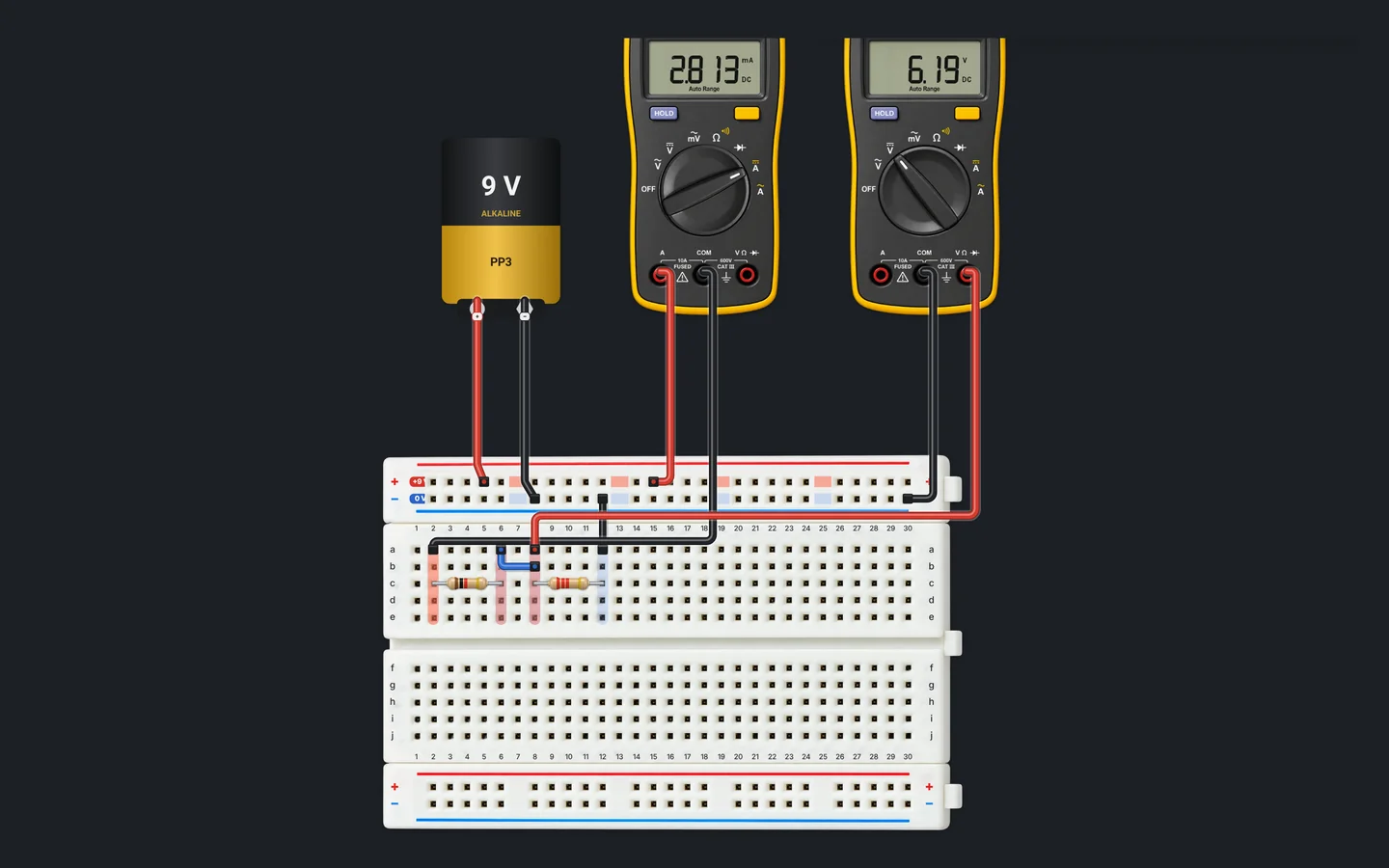
Measure as you build
One meter in series for the current, one across the LED for its voltage.
And many more: more than 340 ready-made circuits, from a single LED to touch-screen machines, more than 200 of them with an Arduino, ESP32 or ATtiny sketch. See how to open them.
SimuCraft 0.6.4
4 November 2026

CalcCraft 27X
A financial, scientific and engineering calculator in the spirit of the classic pocket calculators, with RPN and algebraic entry and menus for finance, statistics, lab formulation and engineering.
CalcCraft 27X · Free · Android 7+ · Windows 10/11 · iPhone and iPad
From idea to reality
Free for Windows, or open it right now in your browser.